Case Study
Menderbug — An AI Image Generator for Designers
An AI image generator made for how designers actually work — with structured references, indefinite iteration and branching, built-in design chat, and cross-surface flows. Built in 3 hours using agentic coding, in daily use since.
Client
Role
Timeline
Industry
I use Midjourney. I use Nano Banana. The images are fine. The experience is not. So I built my own — Menderbug. An AI image generator made for how designers actually work. Built in 3 hours. In daily use since.
3 hrs
To MVP
Solo
Built
Daily
In Use
A Bad Workflow, On Repeat
Imagine this. You're designing a poster. You need a hero image, and AI is faster than a stock search. You open Midjourney. This is what the next two hours actually look like:
You write a prompt. The tool forgets.
You generate an image. It's close. You want to push it in a new direction. You write another prompt. The tool has no memory of the previous result. You scroll back through Discord, looking for the image from five minutes ago. You can't find it. You copy the old prompt, tweak two words, cross your fingers, and regenerate. You do this thirty times in a session. Every single generation is a fresh start in a tool that doesn't remember you.
Monologue, not dialogue
You have references. The tool doesn't care how you think about them.
You're not just "inspired" by a mood. You have one reference for the subject. A different one for the layout. A third for the typography. A fourth for the color palette. You drop all four into the tool. The AI treats them as one blob of "inspiration." Which reference was for the composition? Which was for the color? It doesn't know. Neither does your result.
Reference dump
Every tool treats it like a pile
You get a good result. Then you lose it.
You generate something that's actually working. You want to try three variations from it. Each new prompt overwrites the last. Or the variations pile up in a Discord thread and you can't tell which one was the good one. Three days later, you want to come back to where you left off. Good luck. The good one is buried under 200 later generations that weren't as good.
Sculpting vs gambling
Most AI tools make it feel like gambling
You need to think. You need to switch tools.
You want feedback on a result. You open ChatGPT. Paste the image. Describe the context. Get thoughts. Now you want to generate again. You close ChatGPT, go to Midjourney, can't remember what ChatGPT suggested, alt-tab, copy, paste, alt-tab back. Lose the thread. Lose the context. Try to remember what the client originally asked for. Where was that conversation? Which tab?
Context collapse
Context collapses every time you switch
I Wasn't Solving for Pixels
Every existing AI image tool is optimized for one thing: generate a cool image. But that's not what a designer is doing all day. A designer is dialing in the right image through iteration, with tight reference control, while maintaining context across generation, feedback, and ideation.
The models are fine. The quality is converging. The next layer of value in AI tools isn't pixels — it's the workflow that wraps them.
The insight
That's the whole product.
Built in One Sitting
Because the problem was personal, I didn't need discovery. Because I've practiced agentic coding as a discipline, I didn't need engineering help. Menderbug went from idea to deployed product in about three hours — one evening.
3 hrs
Idea to Live
10+
AI Features
3
Product Surfaces
The unlock
The math flips in the designer's favor
Three Surfaces, One Workflow
Menderbug is structured around how designers actually use AI image tools, not how the models want to be prompted. Three surfaces, each fixing a specific pain from above. They share history, they share state, they share a design language.
🎨 Images — Generation, Finally Right
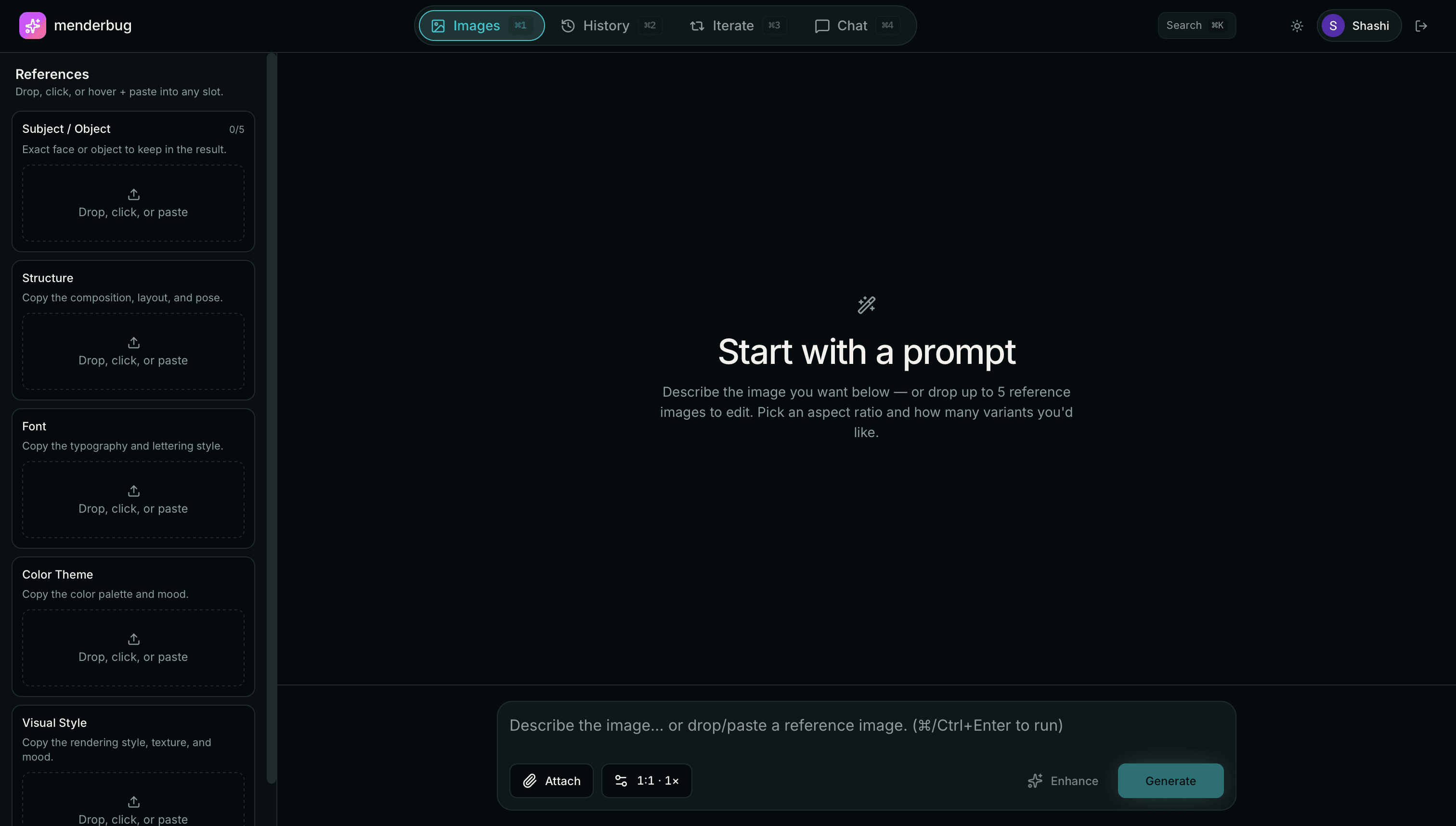
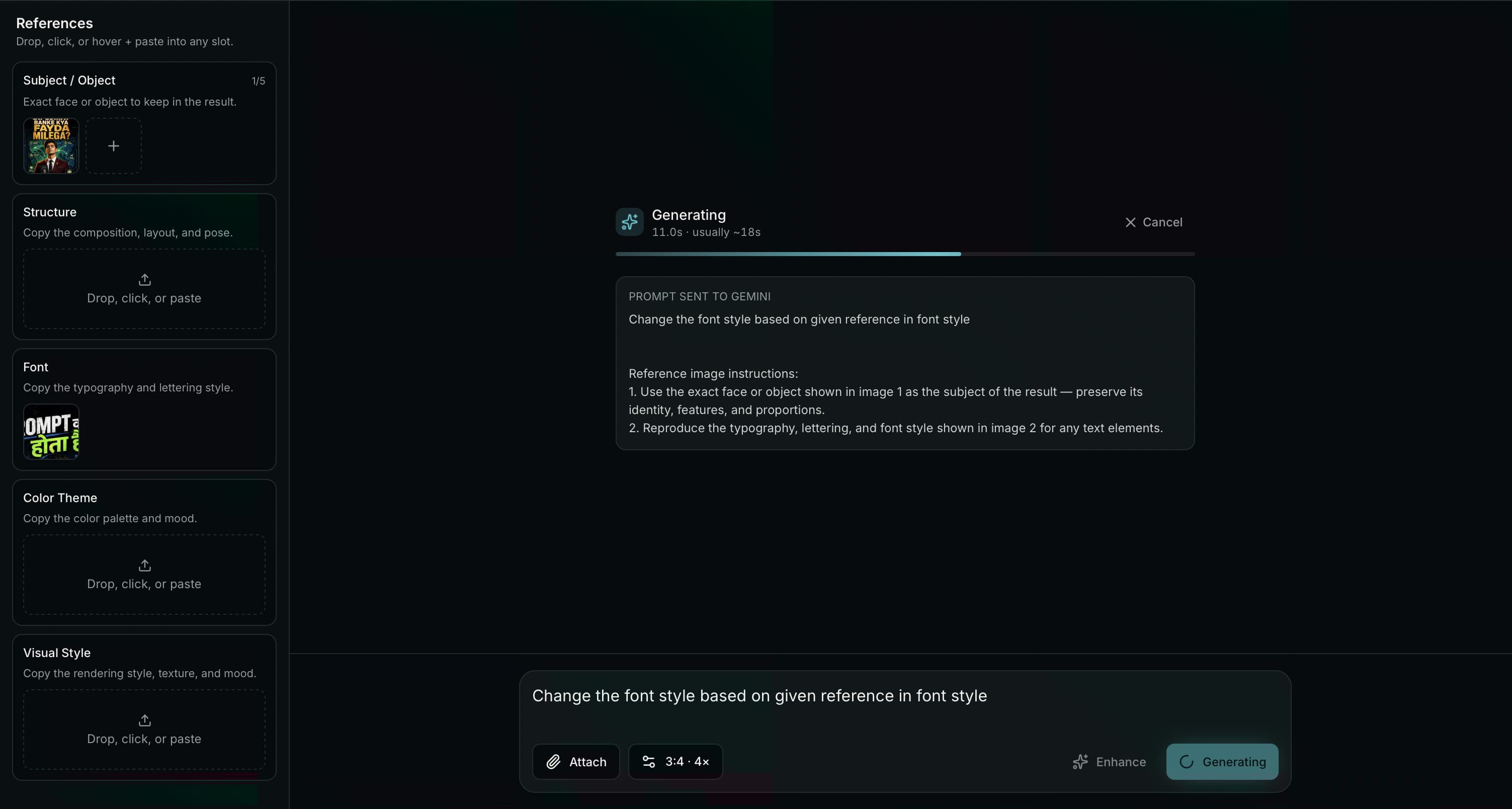
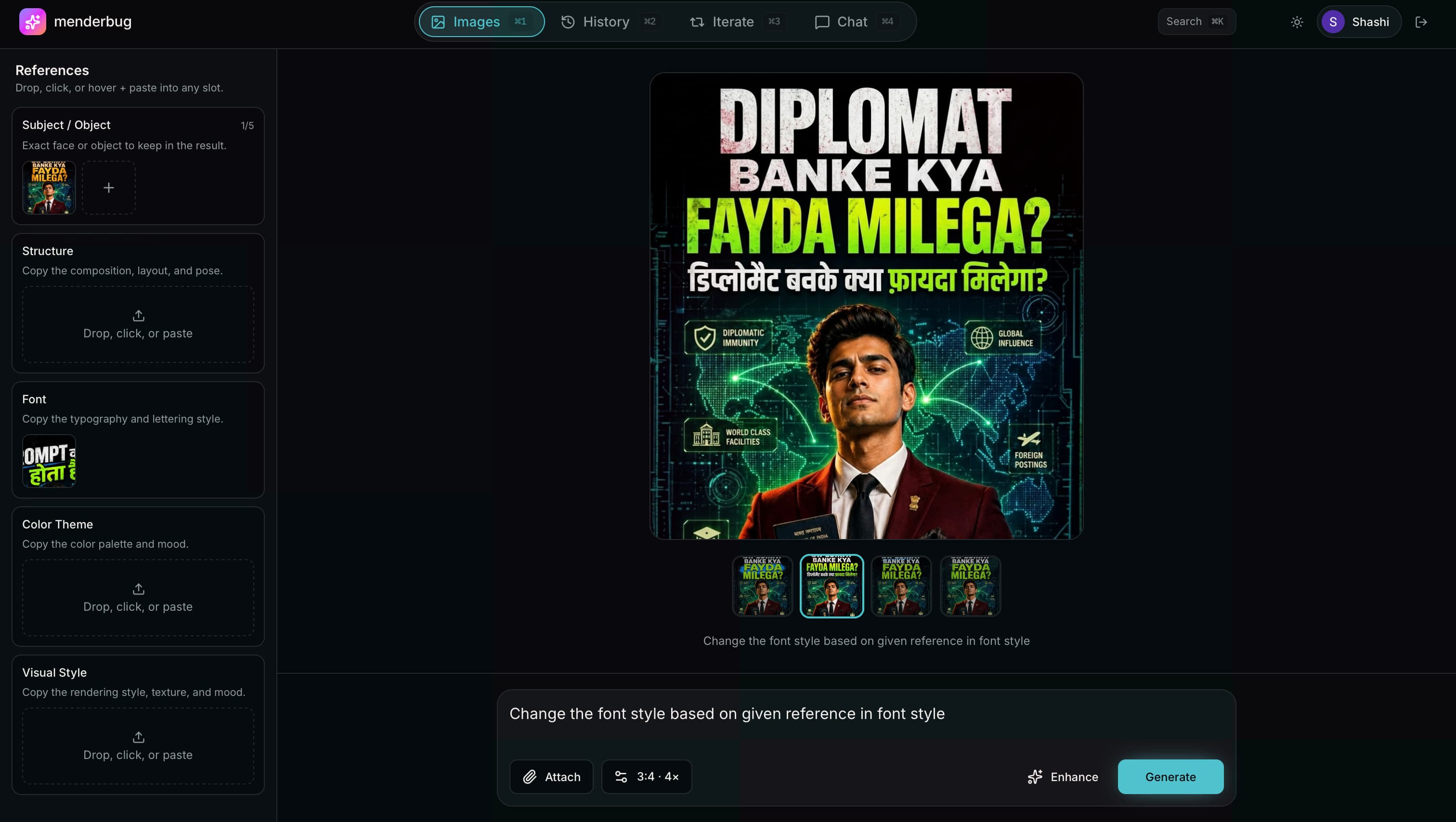
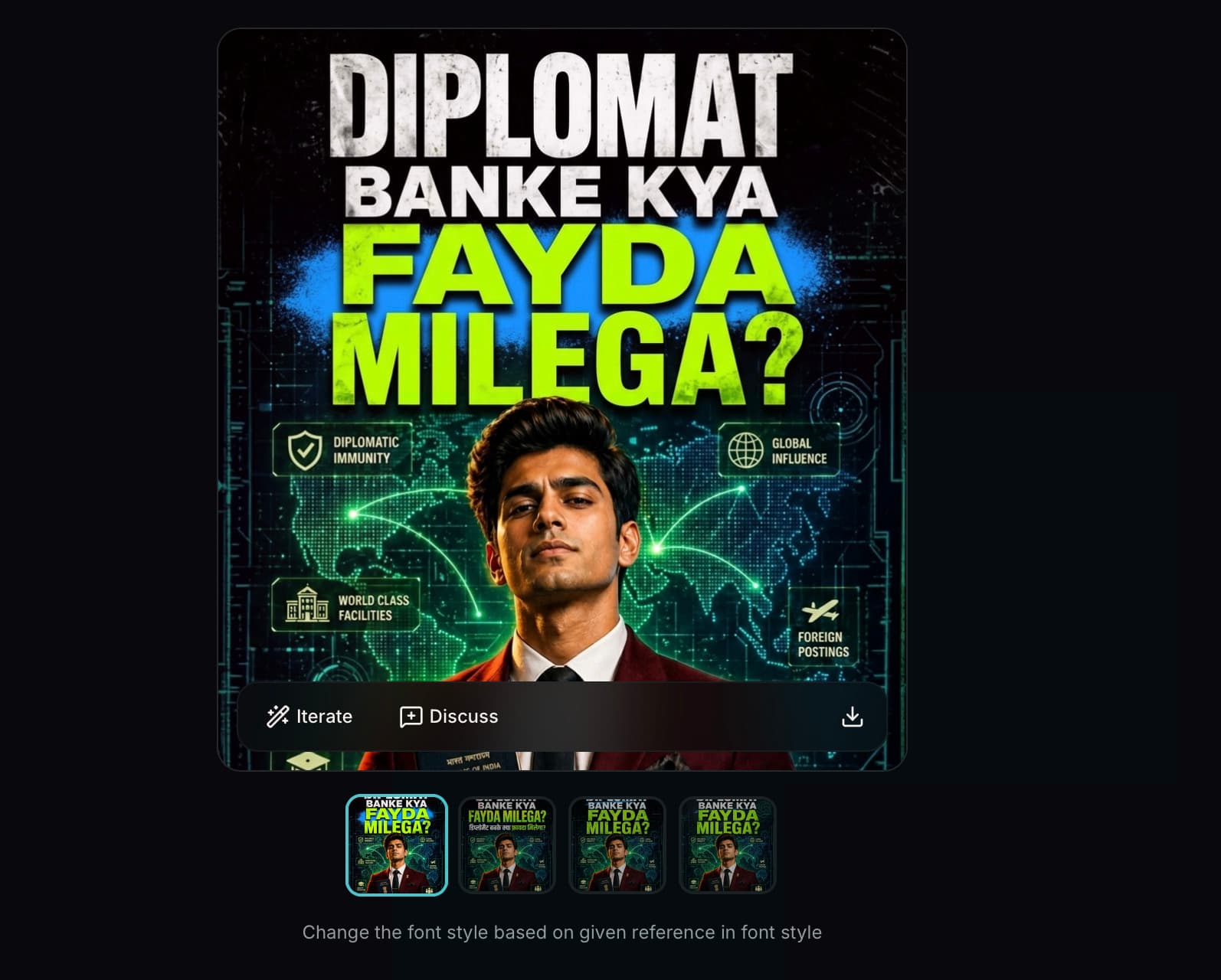
Text-to-image with aspect ratio, variant count, and structured reference control. Prompt enhance for when the idea is there but the language isn't. Download with one click. Everything you've ever made, searchable in the sidebar forever.
🔁 Iteration — Sculpting, Not Gambling
This is the feature that made the whole product worth building. Every other AI image tool treats iteration as "generate again." Menderbug treats it as a container — with memory, structure, and branches.
- Threads — start an iteration from any image. Every new version is a step in that thread.
- Indefinite iteration — dial in the result across as many steps as you need, without losing a single one
- Timeline view — see the evolution of an idea laid out linearly
- Branching — any step can spawn a new branch. Explore divergent directions without destroying the original.
- Any historical image is iterable — something you made three weeks ago, click once, start iterating.
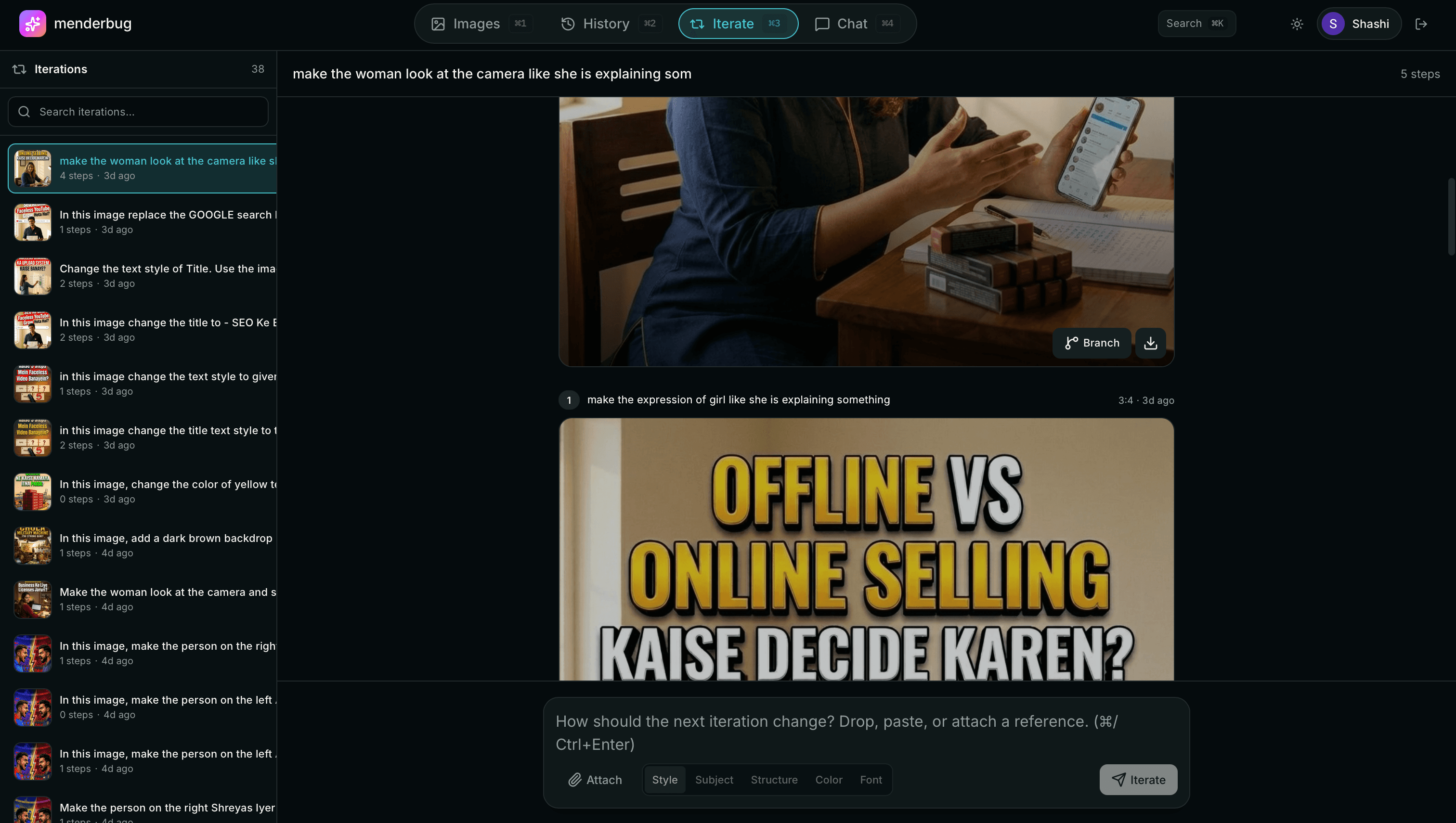
Iteration as a first-class concept
The structure matches how design exploration actually works
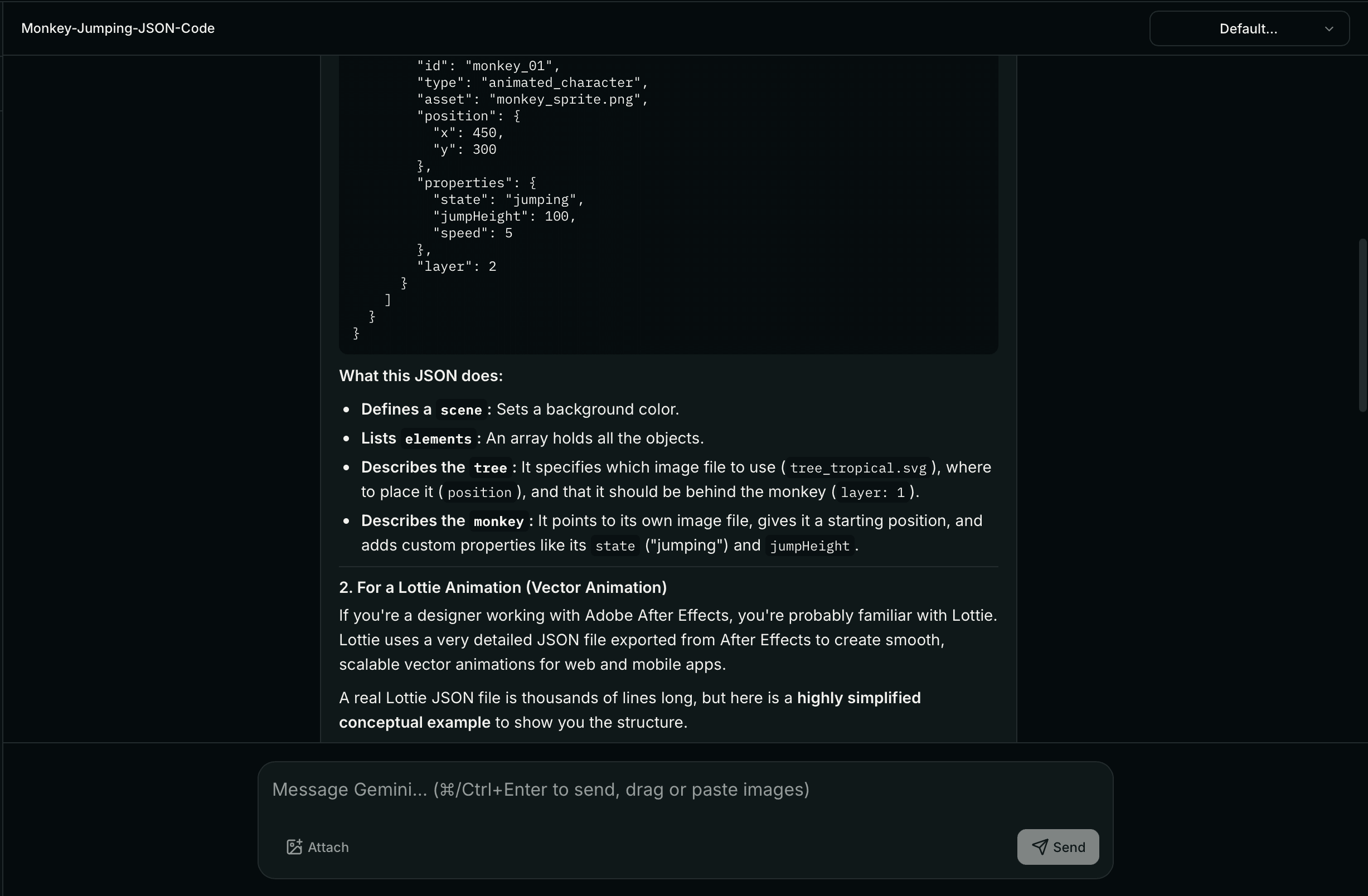
💬 Chat — Ideation Without Tool-Switching
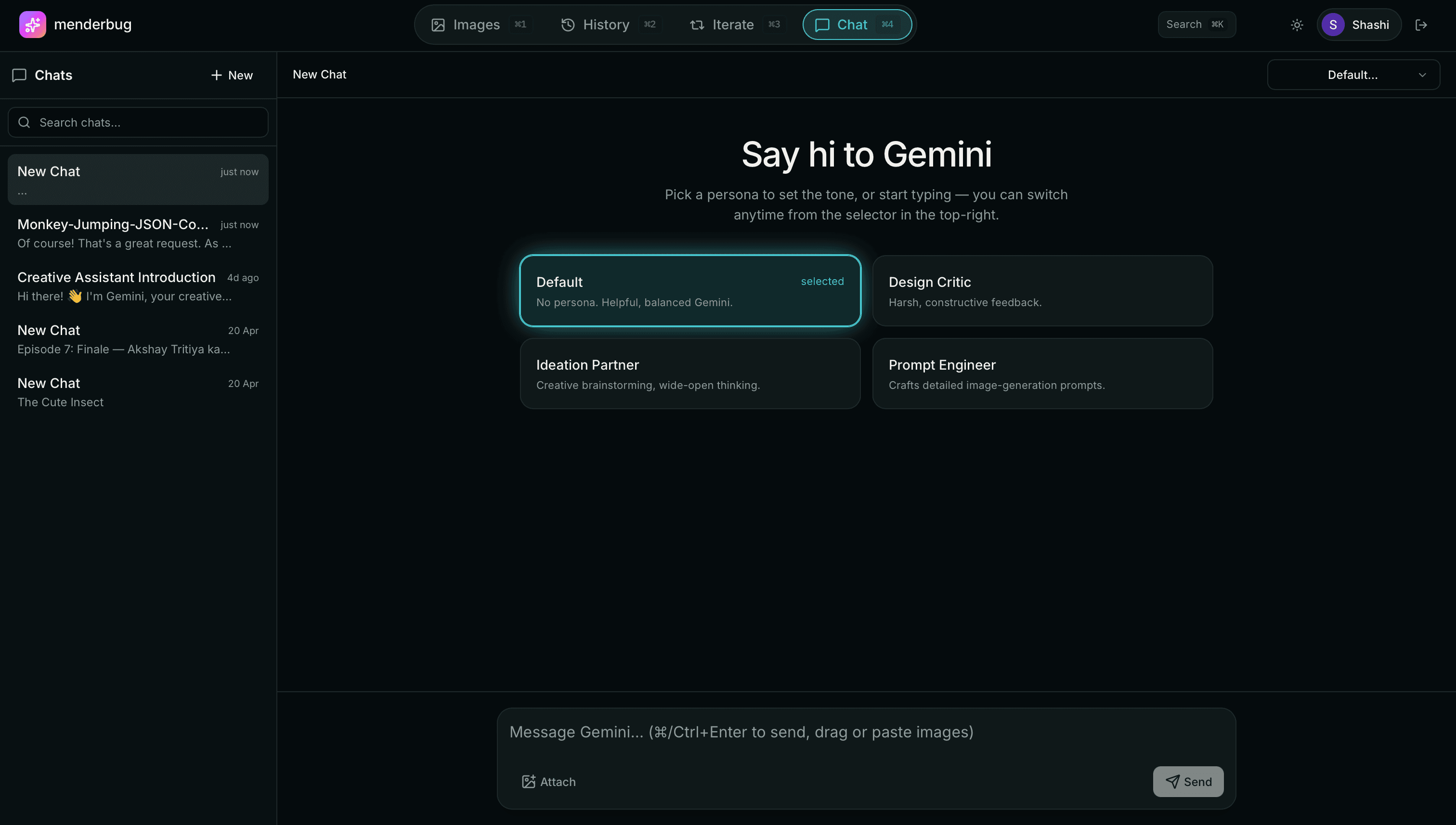
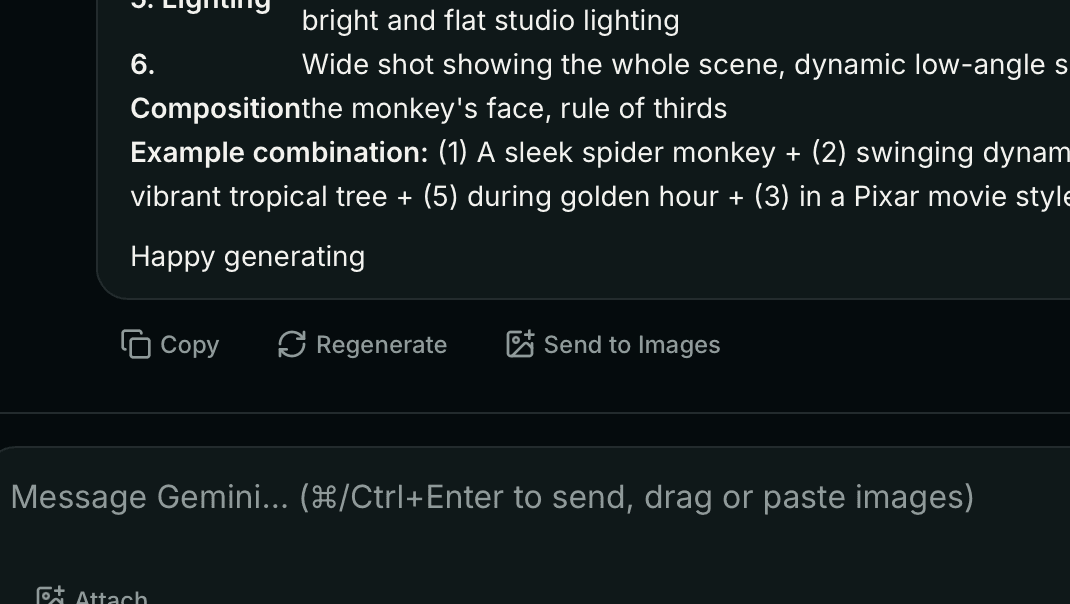
Because switching between ChatGPT and your image tool is where context dies. Menderbug has Gemini chat built in — with four design-focused personas and seamless handoff to image generation. No more alt-tab grief.
- Streaming replies with full Markdown (headings, bullets, code blocks)
- Image attachments — drag-drop or paste any image for design feedback
- Four personas — Default (balanced), Design Critic (blunt), Ideation Partner (wild), Prompt Engineer (briefs to prompts)
- Auto-title — threads rename themselves after your first exchange
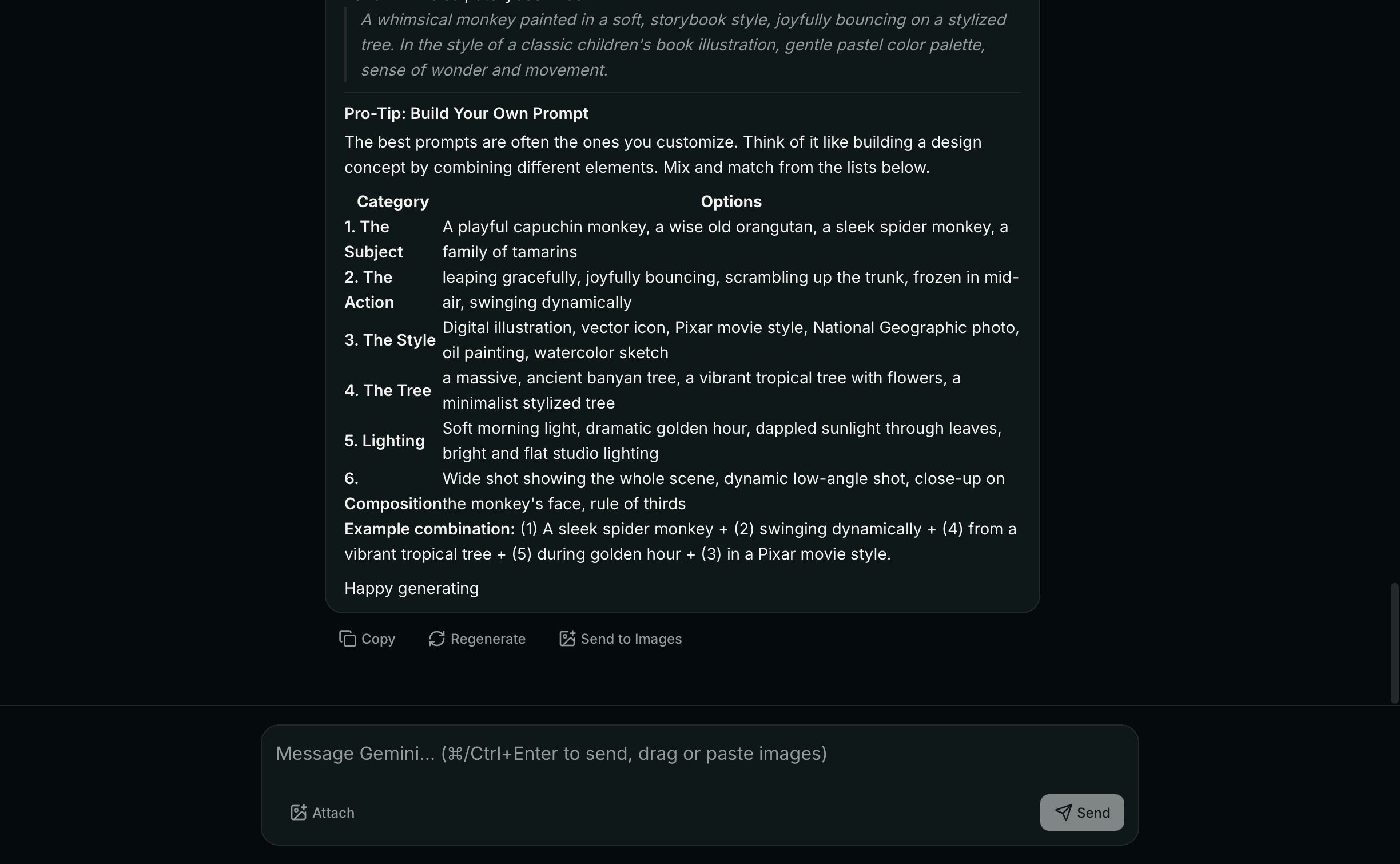
- Send to Images — turn any chat reply into a generation prompt without leaving
The Design Calls That Make It Work
Every feature has an opinion behind it. These are mine.
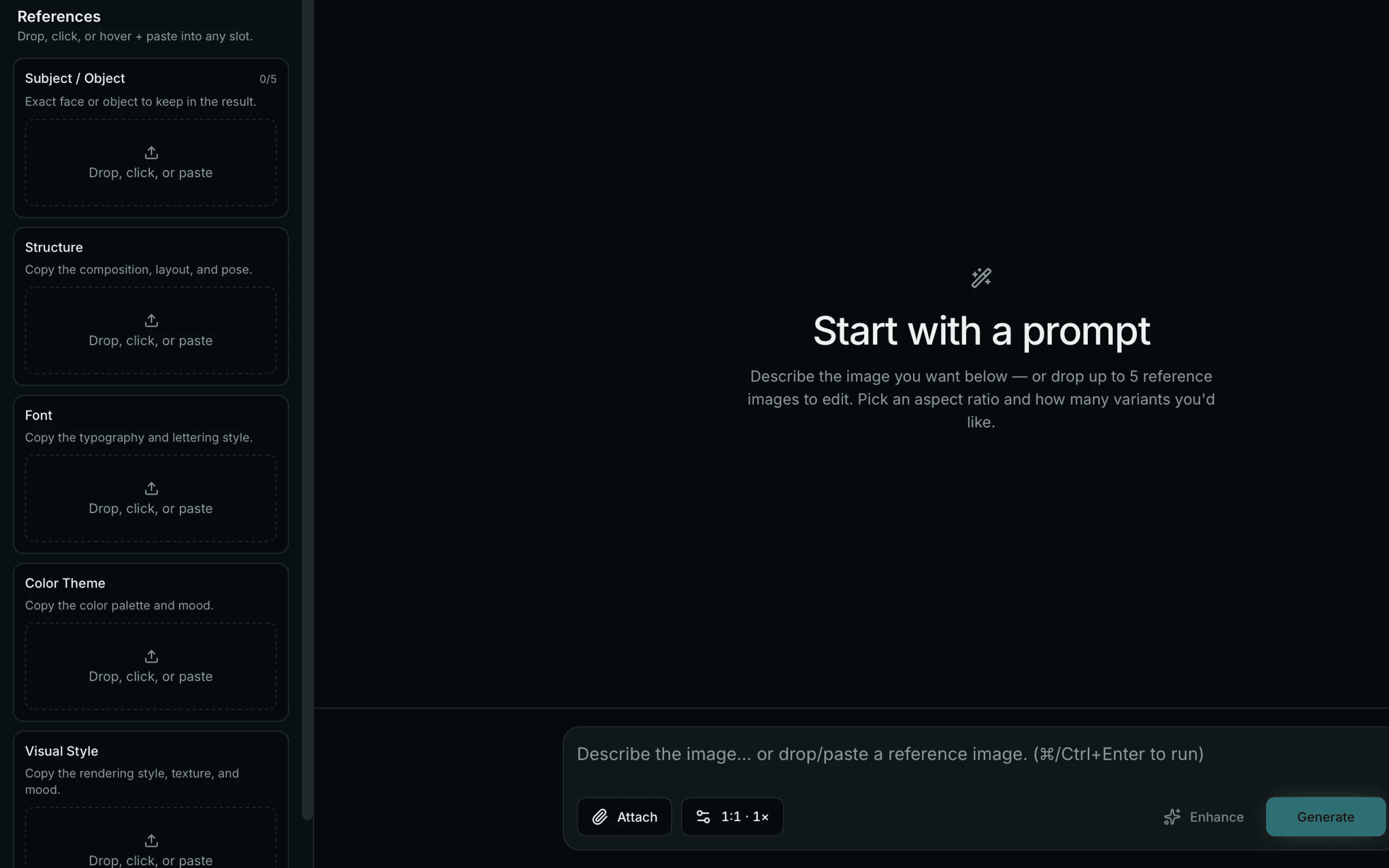
Categorized References, Not a Reference Dump
Every AI tool has "drop some references." I broke references into five slots that map to how designers actually think — Subject, Structure, Font, Color Theme, Visual Style. This isn't rigidity; it's scaffolding. The AI gives better output because it knows which input means what.
Personas, Not System Prompts
Designers don't want to write system prompts. They want to say "critique this" or "give me ideas" and have the AI show up in the right mode. Four built-in personas cover 95% of real use cases.
Branching, Not Forking
Branches share ancestry but diverge after a specific step. This matches how design exploration actually works — you have a good direction, you want to try two variations from there, you want to keep both without losing the original.
Cross-Surface Flows
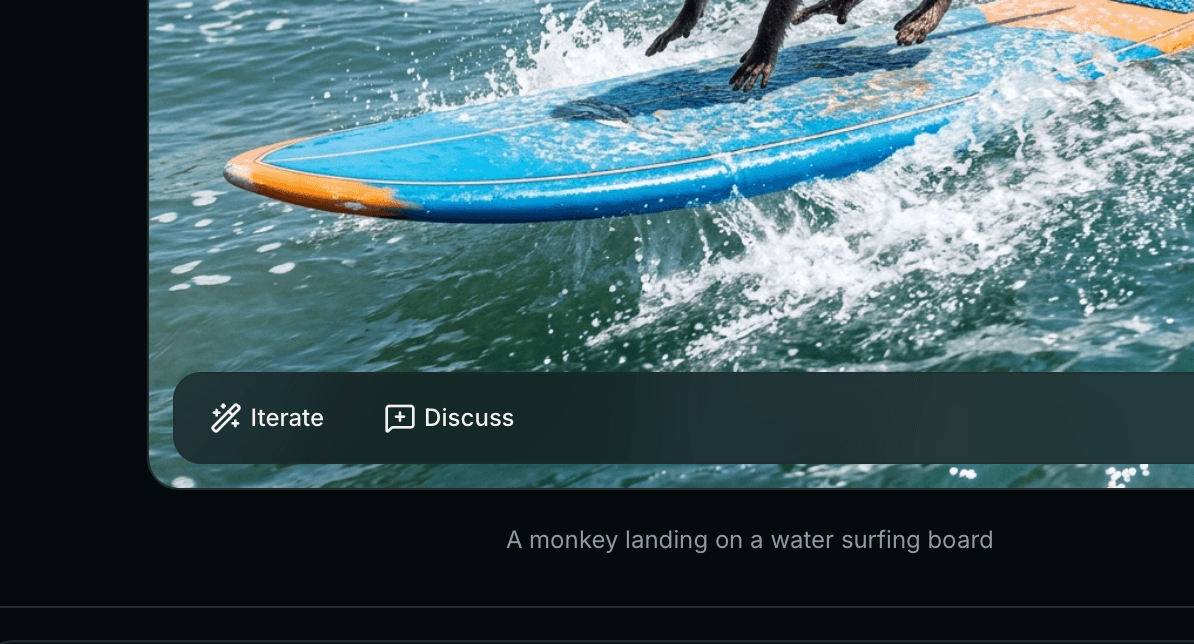
The three tabs aren't silos. Any image can jump to Chat with itself attached. Any chat message can become a generation prompt. Any image in history can start an iteration thread. The workflow flows between surfaces without losing state.
Permanent, Searchable History
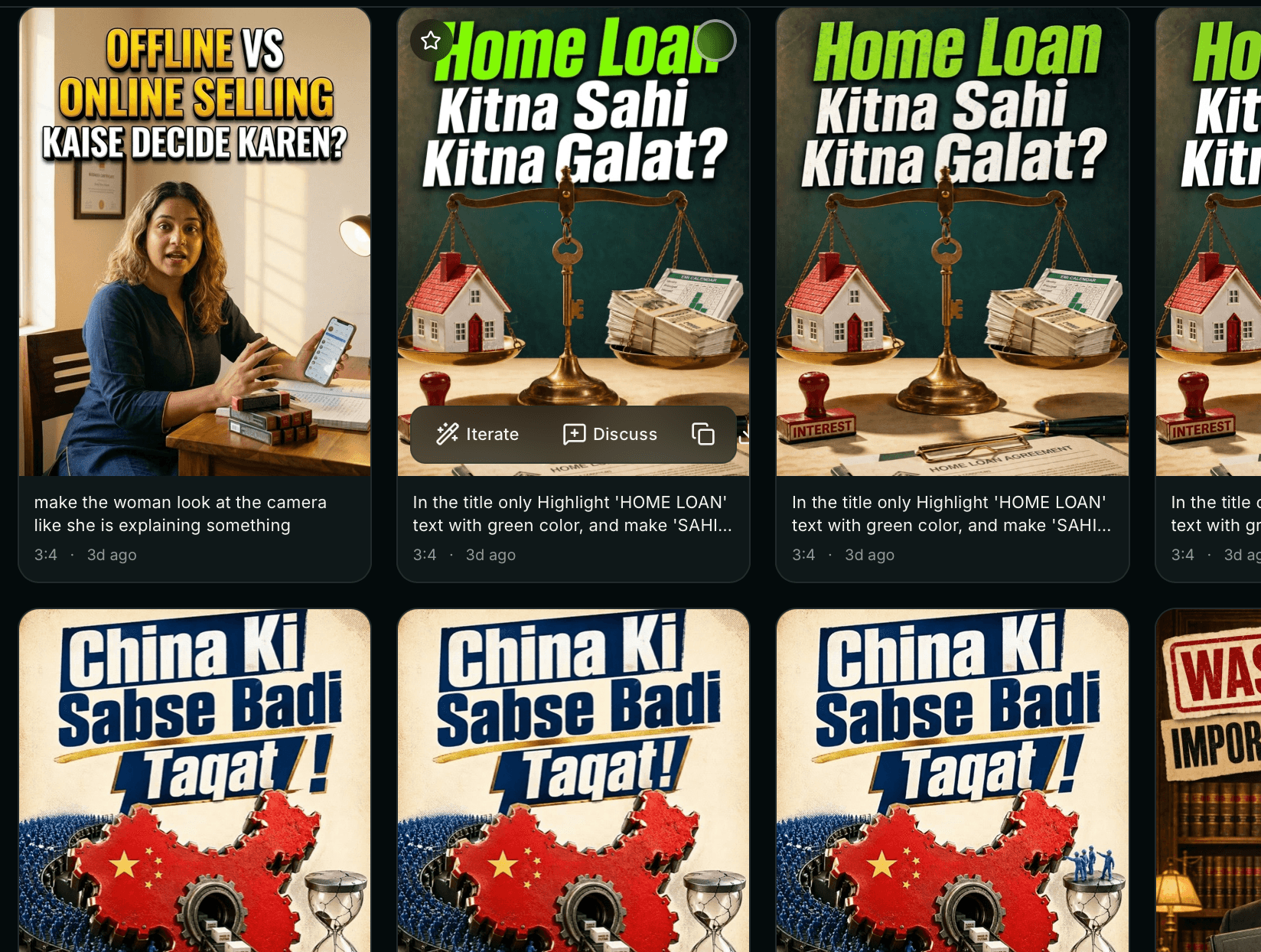
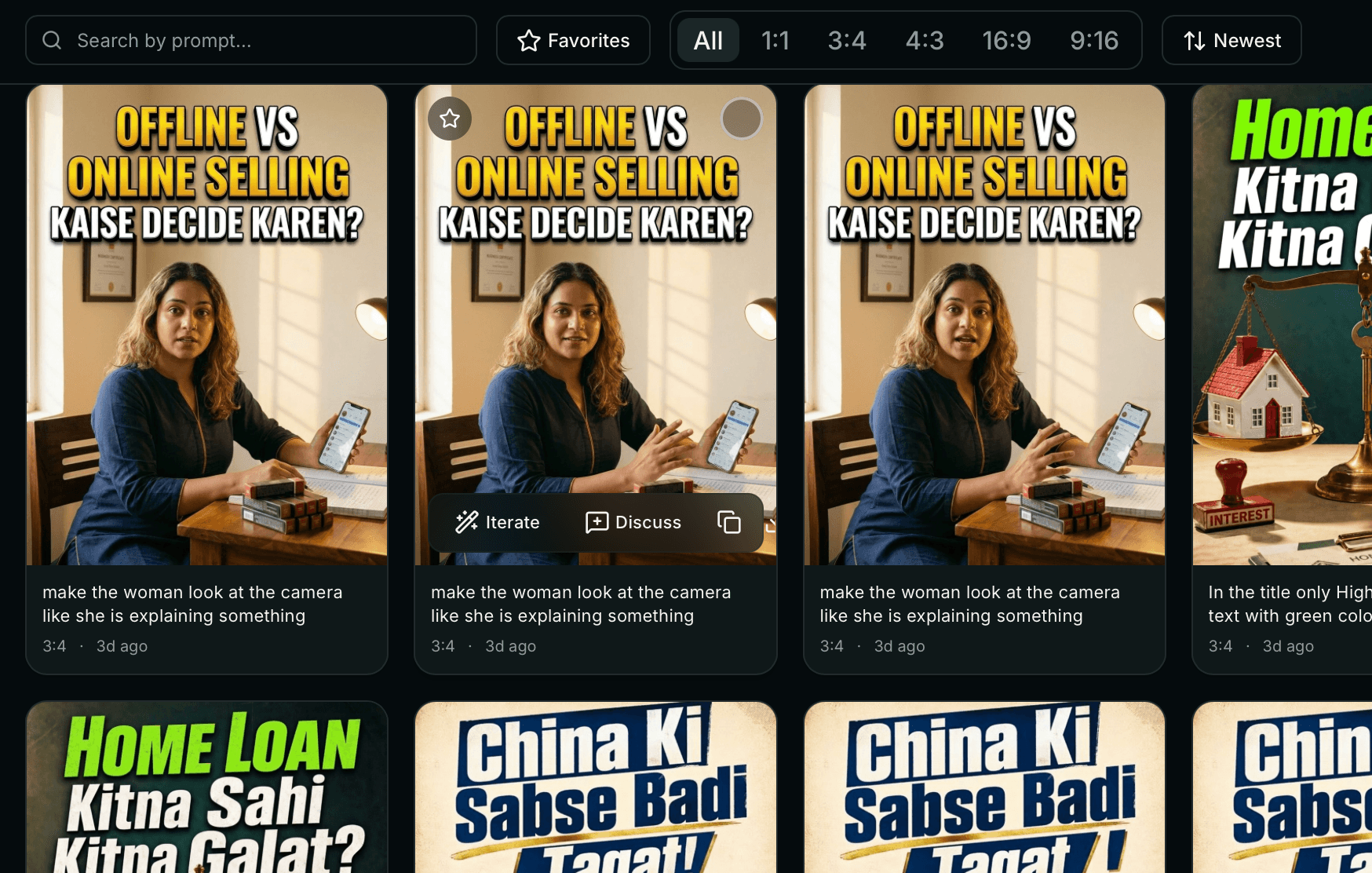
Every image you've ever made is in the sidebar. Search by prompt text. Click to iterate. Click to discuss. Nothing buried, nothing lost, nothing forgotten.
The Stack
I pick tools the way I pick design systems — intentionally. Every piece was chosen for a reason.
Frontend
- Next.js 16 (App Router, Turbopack)
- React 19 + TypeScript
- Tailwind CSS v4 + shadcn/ui
- Sonner (toasts), React Markdown
- Lucide icons
AI, Data & Infra
- @google/genai — Gemini Nano Banana (image + streaming chat)
- Neon Postgres (serverless HTTP driver)
- Vercel Blob (image storage)
- NextAuth.js 5 + Google OAuth with email allow-list
- Vercel (Fluid Compute for streaming)
Production-grade stack
Every choice optimized for shipping fast and staying cheap
Shipped in 3 Hours
Menderbug came together in a single evening. Two reasons: the problem was personal (I didn't need discovery — I had months of friction to draw from), and I've practiced agentic coding as a discipline. The speed isn't a flex — it's a consequence of the workflow.
How I Actually Worked
- I described what I wanted. "Categorized reference slots — up to 5 images, each tagged by role, drag-drop, keyboard support." Clear intent beats clever code every time.
- AI generated, I reviewed. Every line before commit. Not to edit it — to understand it. That's how I learned what my app is doing.
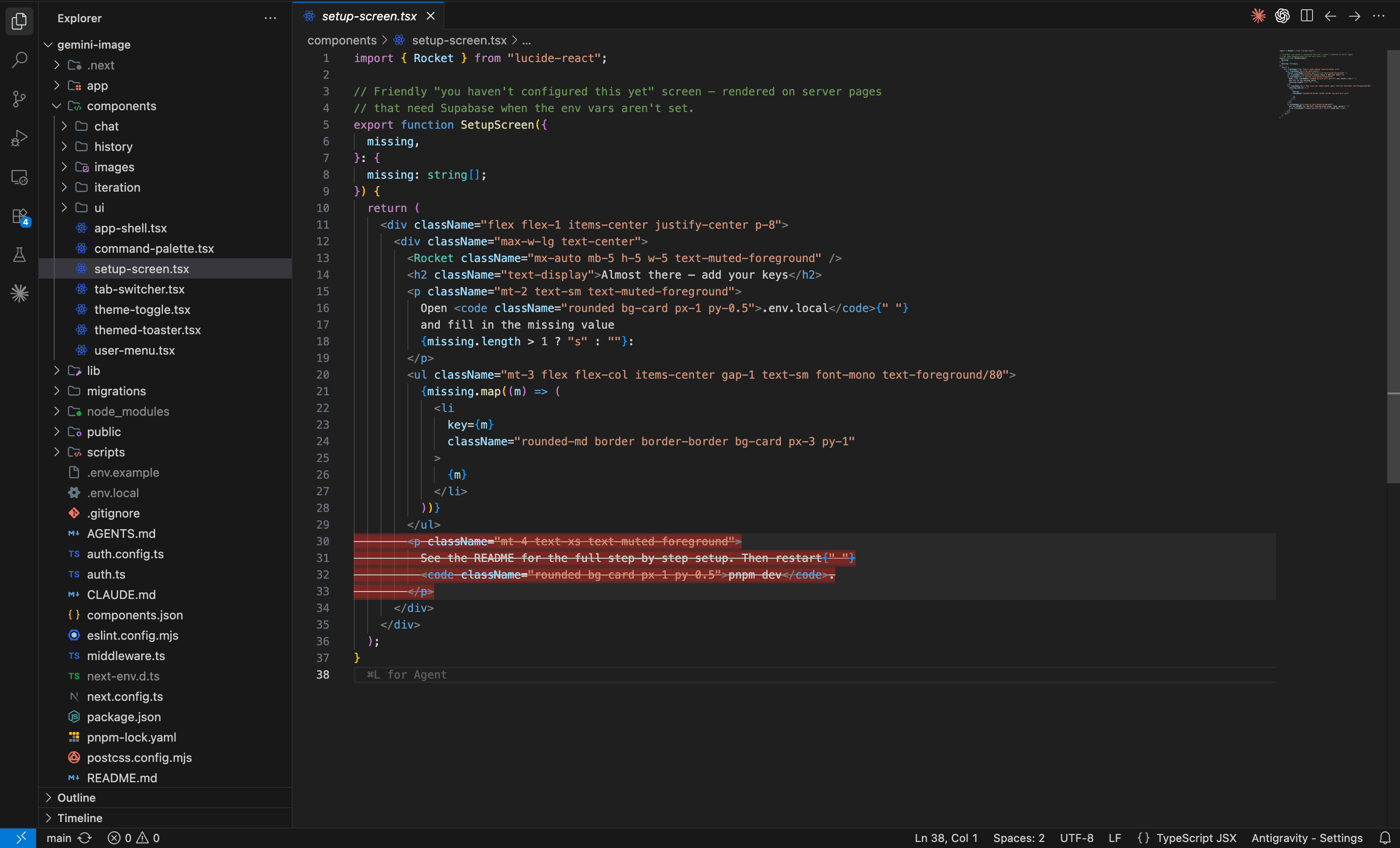
- Convention files kept it coherent. A CLAUDE.md and AGENTS.md at the root warned the AI about framework version specifics, naming rules, and design conventions — so every session stayed aligned.
- Parallel work. Different agents on different features — one on iteration threads, one on the auth allow-list, one on the reference panel — shipping into the same codebase.
I don't wait for engineering
Agentic coding is the execution layer. The design is mine.
If a Tool Doesn't Fit, Build Your Own
This isn't a one-off. It's the pattern I've been running on repeat. Menderbug fixed my image generation workflow. Gamma automated my thumbnail production. SkillIssue turned friend dares into a real product. Every time I hit meaningful friction, I reach for agentic coding and build the thing that doesn't exist yet.
The hours of building cost less than the months of working around the wrong tool. That's the real unlock agentic coding gives designers: the ability to solve your own problems as fast as you notice them.
Results
3 hrs
Build
3
Tools Replaced
Hours/wk
Saved
- Complete AI image + chat + iteration product, shipped solo in 3 hours
- My daily generation tool — replaced my Midjourney + ChatGPT + screenshot-folder workflow entirely
- Hours saved every week on a workflow I used to run on broken tools
- Every feature validated by real use, not speculation
- Email allow-list so trusted collaborators can use it too
What I Learned
- AI models are commoditizing — the value has moved to UX and workflow packaging
- Solving your own problem is a cheat code — you're the user, the research, and the QA
- Structure creates creativity — categorized references beat a reference dump
- Iteration and branching are underrated — most AI tools treat generation as linear, but design is exploratory
- The ceiling on what a designer can build keeps rising — agentic coding is the escalator
The models are fine. The experiences aren't. I build the experiences.