Case Study
VR Green ERP
Enterprise Resource Planning website for an eco-friendly packaging MSME — replacing paper logs with a real-time, role-aware command center for the factory floor.
Client
Role
Timeline
Industry
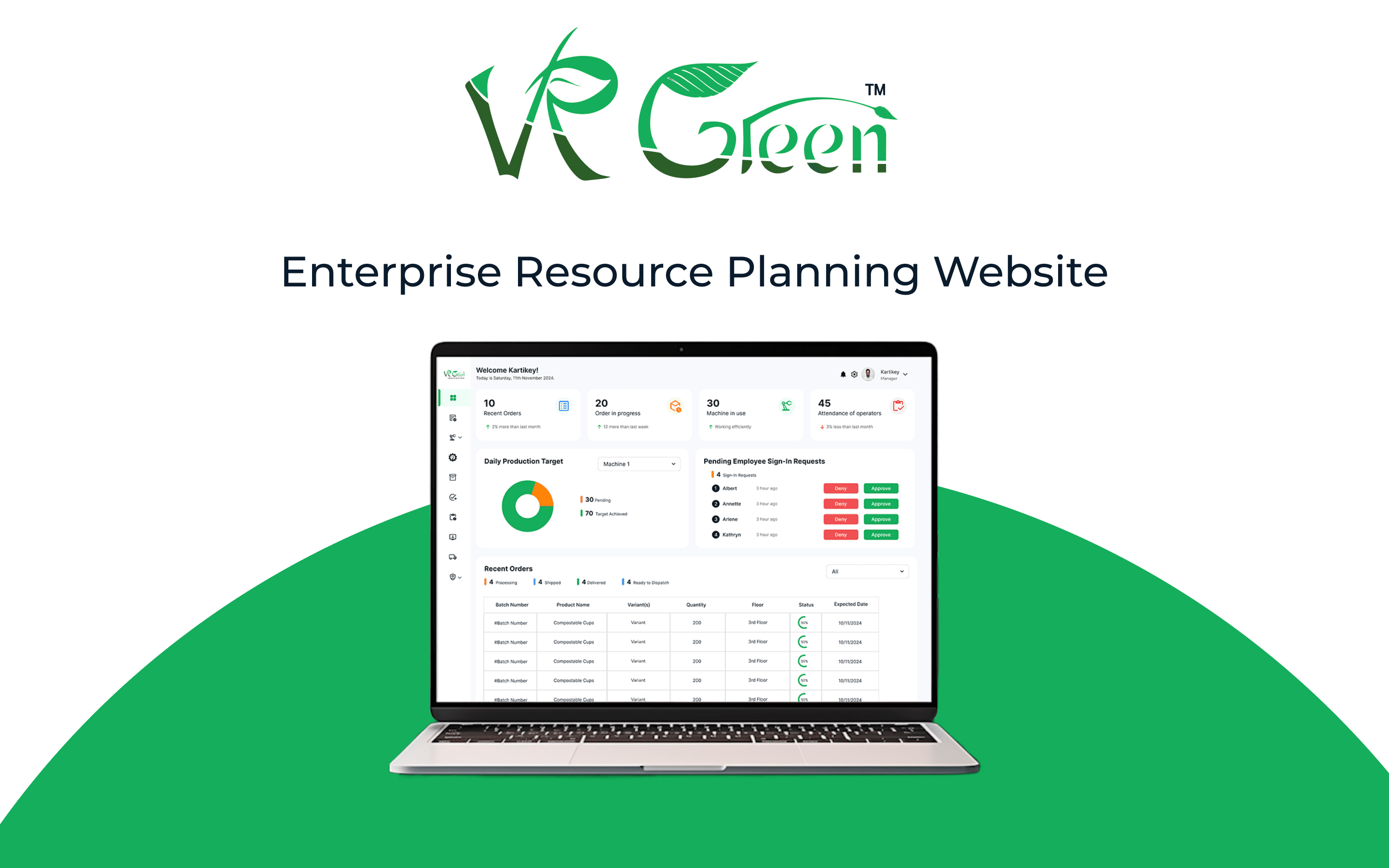
VR Green is a young eco-friendly packaging MSME, ISO 9001/22001/14000 certified, producing compostable cups and bags. As production scaled up, the factory floor was still running on paper logs and spreadsheets — a paper-heavy operation managing eco-friendly products. They needed a single source of truth that matched the company's values.
9
Modules Designed
5
User Personas
20+
Screens Shipped
4–6 wks
Timeline
The Challenge
VR Green's factory operations relied on a patchwork of paper logs, spreadsheets, and ad-hoc semi-digital tools. As production scaled, the cracks widened — leadership was flying blind, and floor teams were losing time to coordination overhead.
- Inefficiencies and delays in task assignments
- No real-time monitoring of production, machines, or attendance
- Poor coordination between production, inventory, and HR
- Difficulty generating performance reports
Research & Discovery
Stakeholder Interviews
Conducted sessions with plant managers, supervisors, and floor operators to understand how the factory really runs day-to-day — not how the org chart says it should.
Pain Points Identified
- Lack of visibility across departments
- No centralized dashboard
- Hard to track work orders and inventory
Competitor Analysis
Studied ERPs used in similar industries — Odoo, SAP, Acumatica, and Workday — to map common modules, dashboard patterns, and the rising bar around sustainability KPIs and mobile-first access. Modern manufacturing ERPs increasingly bake in carbon tracking, vendor ESG scoring, and clean dashboards with drag-and-drop customization.
User Personas
Designed for five distinct roles, each with very different tech comfort and goals — from a high-school-educated floor operator using a shared tablet to a director checking KPIs on his phone.
- Ramesh — Production Floor Operator (29): Low-to-moderate tech comfort. Needs simple, icon-driven task views and durable interface for noisy environments.
- Priya — Floor Supervisor / Plant Manager (38): Moderate tech. Needs live KPIs, drag-and-drop reassignments, fast approve/deny.
- Amir — Inventory/Store Manager (32): Moderate-high tech. Needs accurate, alert-driven stock visibility across warehouses and floors.
- Sunita — HR/Admin Officer (41): Moderate tech. Needs streamlined onboarding, attendance, compliance docs, role-based permissions.
- Mr. Verma — Director/Owner (45): Moderate tech. Needs executive-level KPIs, mobile access, scheduled reports.
Information Architecture
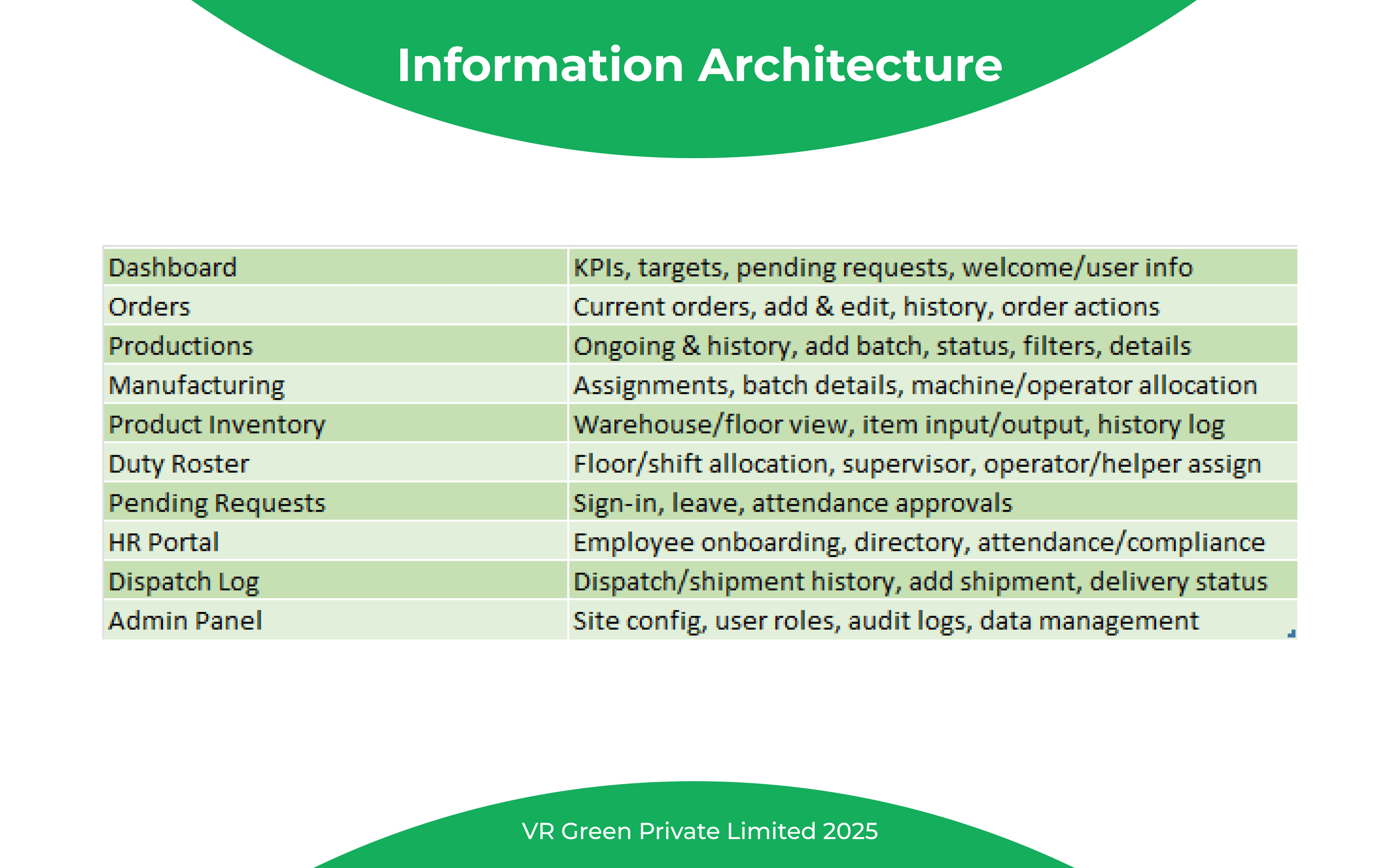
Mapped the system into ten focused modules — each with a single, clear job — so each persona has an obvious entry point.
- Dashboard — KPIs, targets, pending requests, welcome
- Orders — current orders, history, add & edit, order actions
- Productions — ongoing & history, batch control, status, filters
- Manufacturing — assignments, batch details, machine/operator allocation
- Product Inventory — warehouse/floor view, item input/output, history log
- Duty Roster — floor/shift allocation, supervisor & operator/helper assignment
- Pending Requests — sign-in, leave, attendance approvals
- HR Portal — employee onboarding, directory, attendance/compliance
- Dispatch Log — shipment history, add shipment, delivery status
- Admin Panel — site config, user roles, audit logs, data management
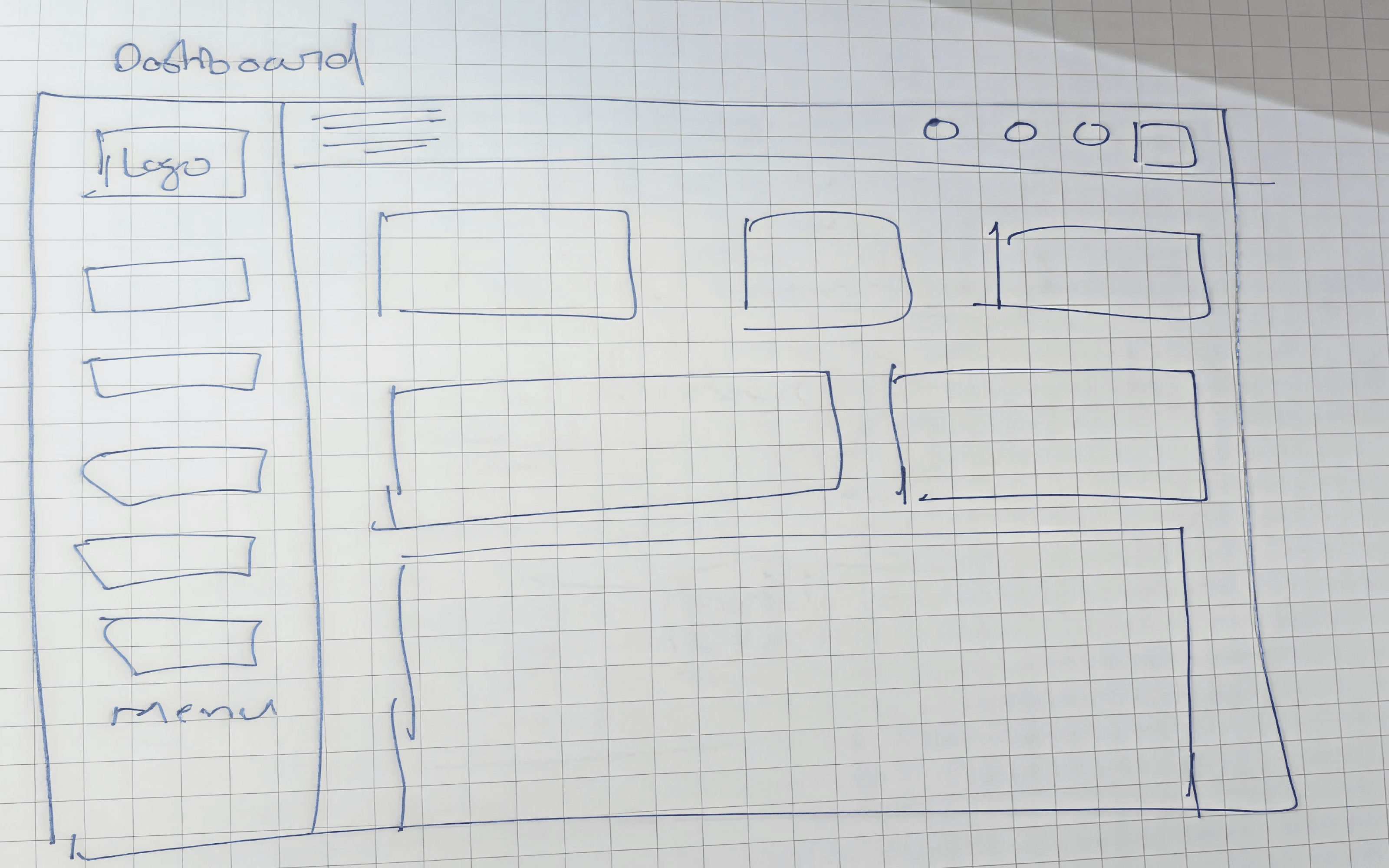
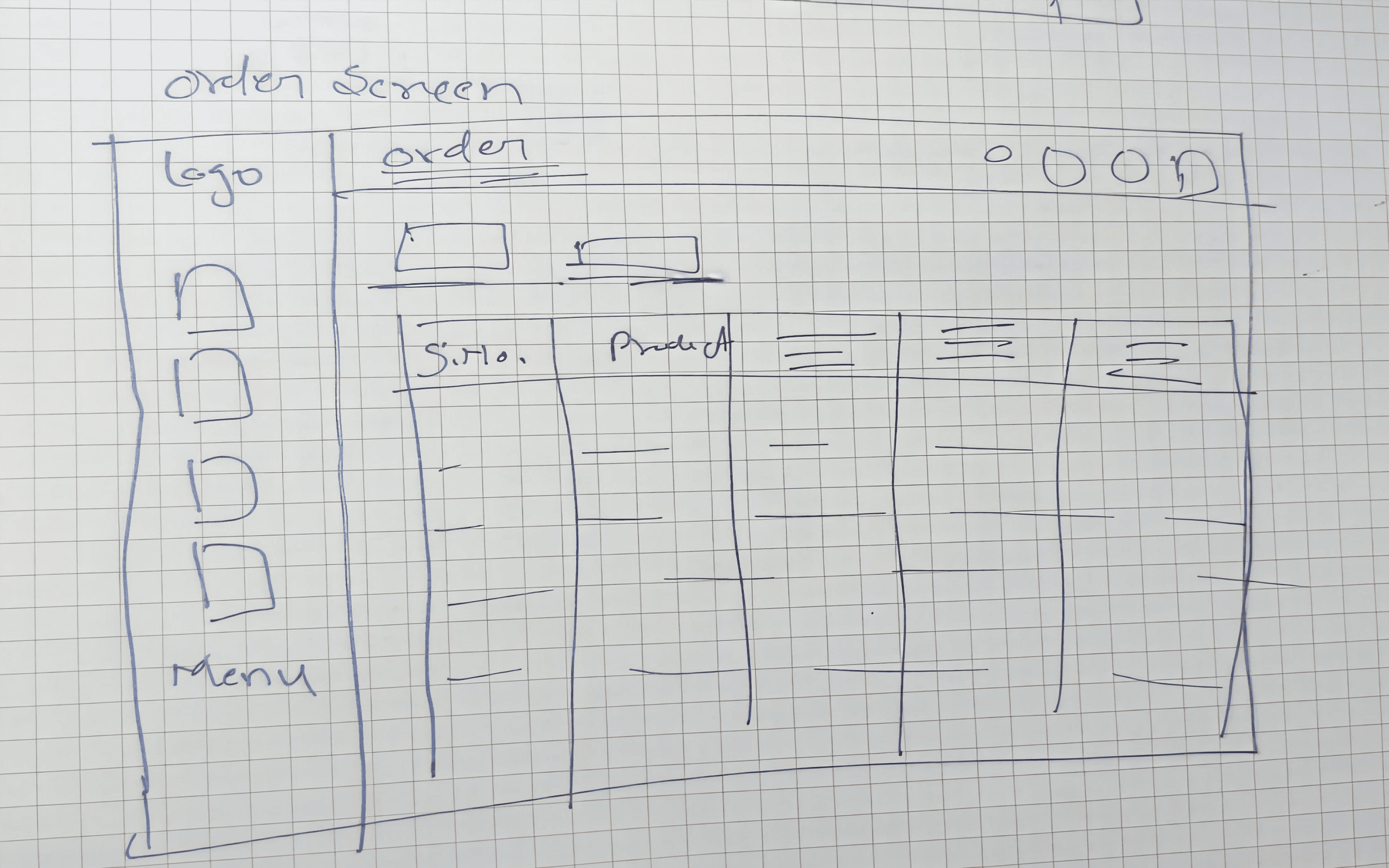
Wireframes
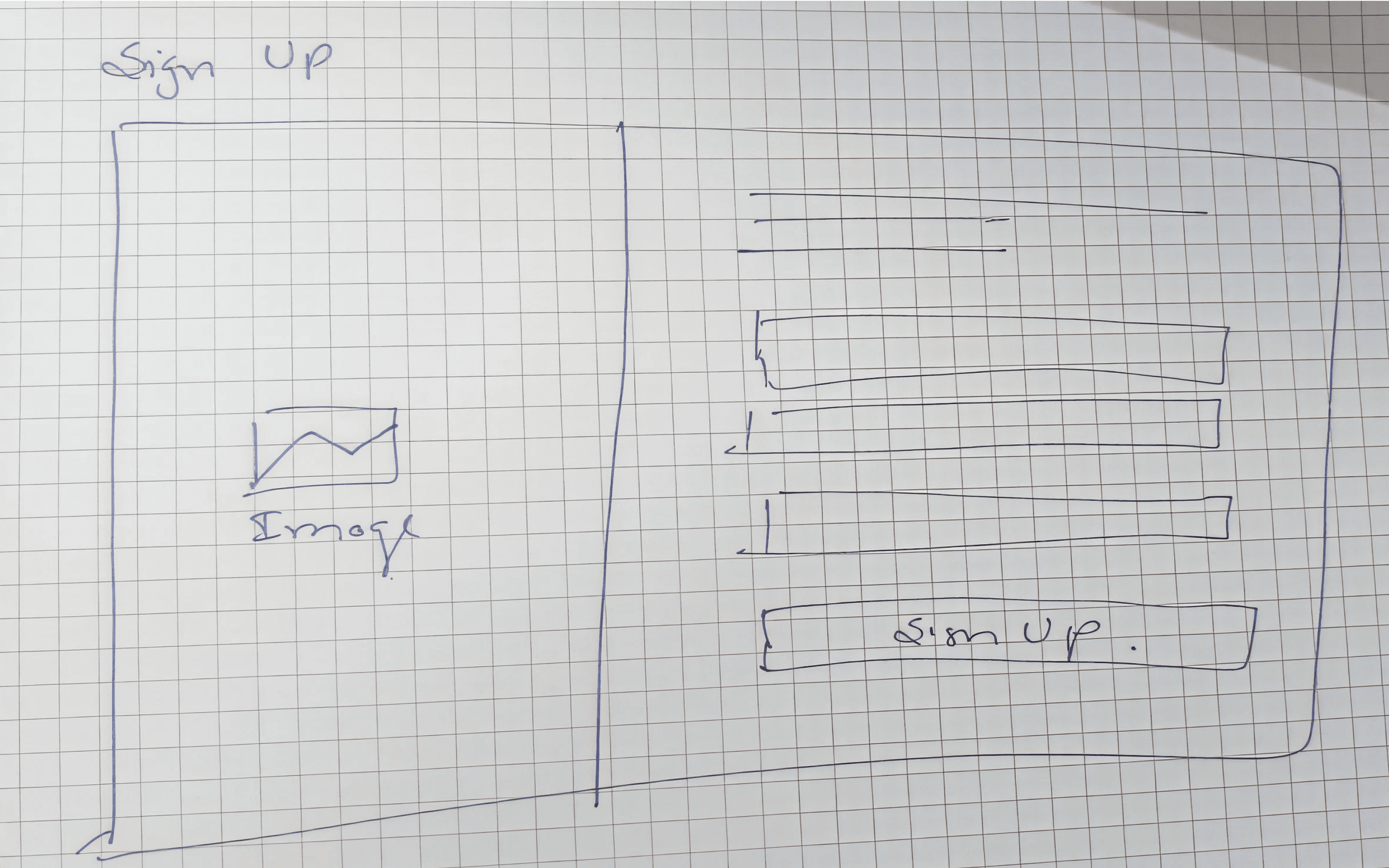
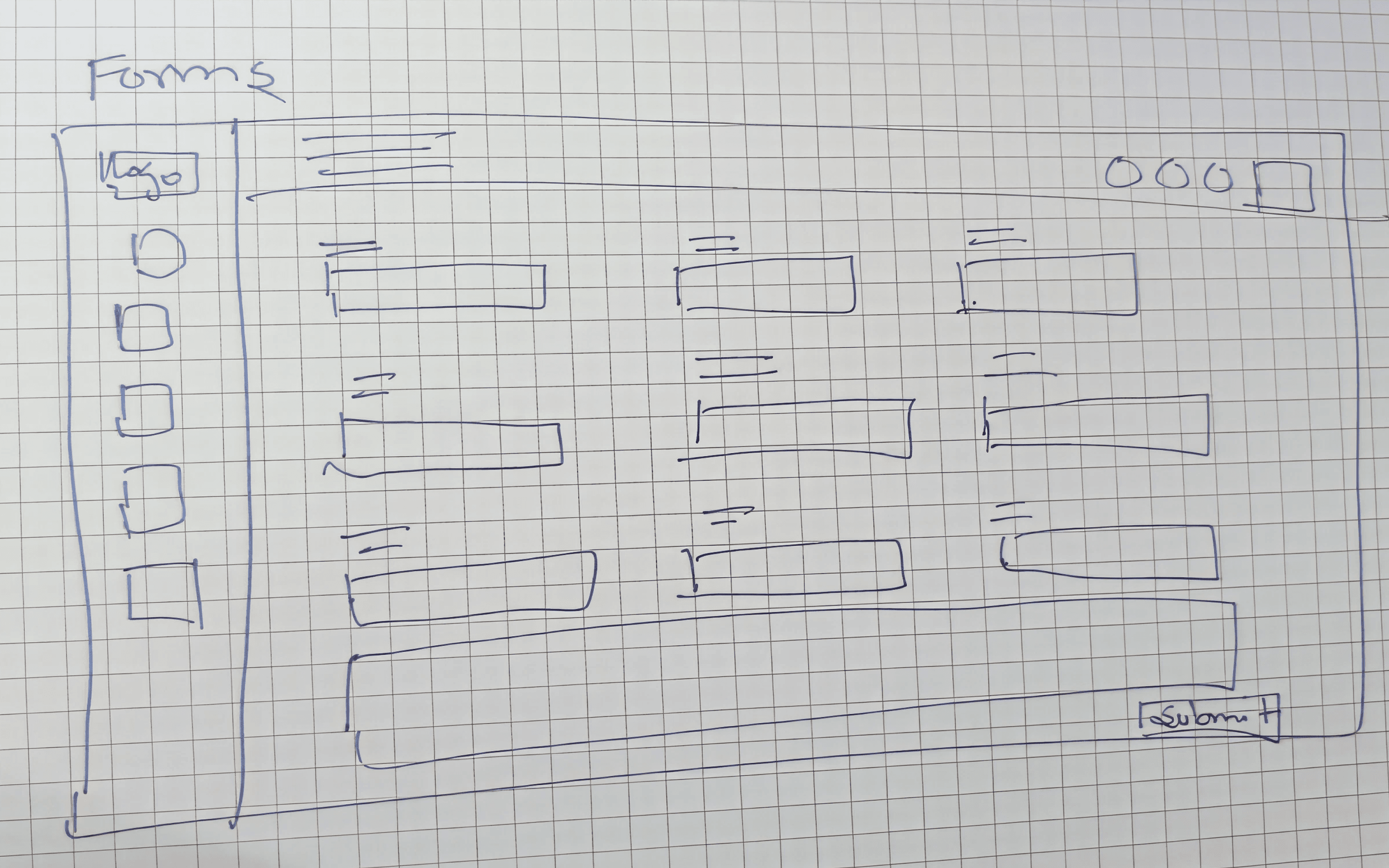
Started on paper — quick low-fidelity sketches for Dashboard, Order screen, Sign Up, and Forms. Iterated into high-fidelity once the IA stabilized.
The Solution
Dashboard
A welcome strip, four KPI tiles (Recent Orders, Orders in Progress, Machines in Use, Operator Attendance), a Daily Production Target donut, Pending Sign-In Requests with deny/approve, and a Recent Orders table with status pills. One screen — entire factory pulse.

Order Add Flow
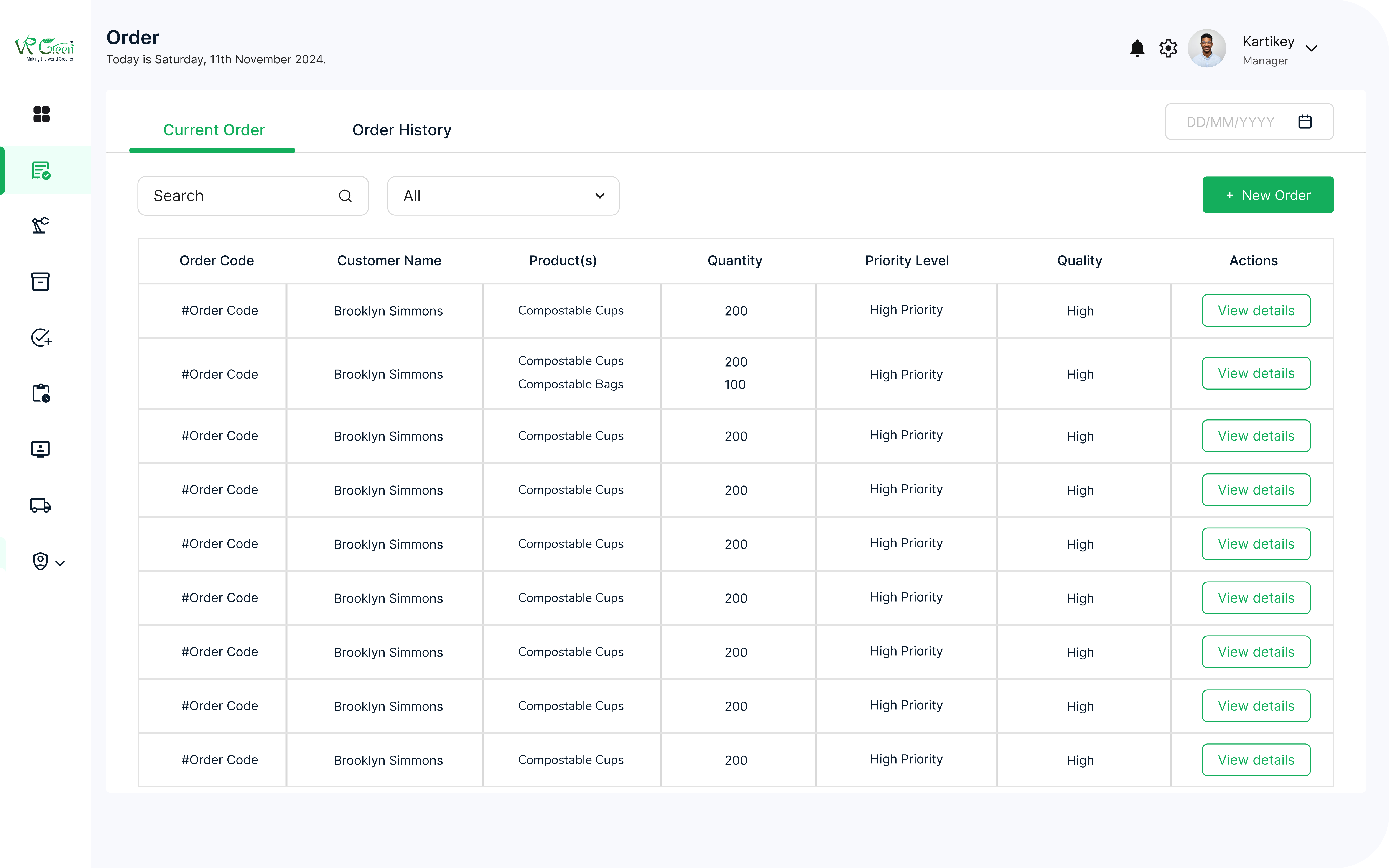
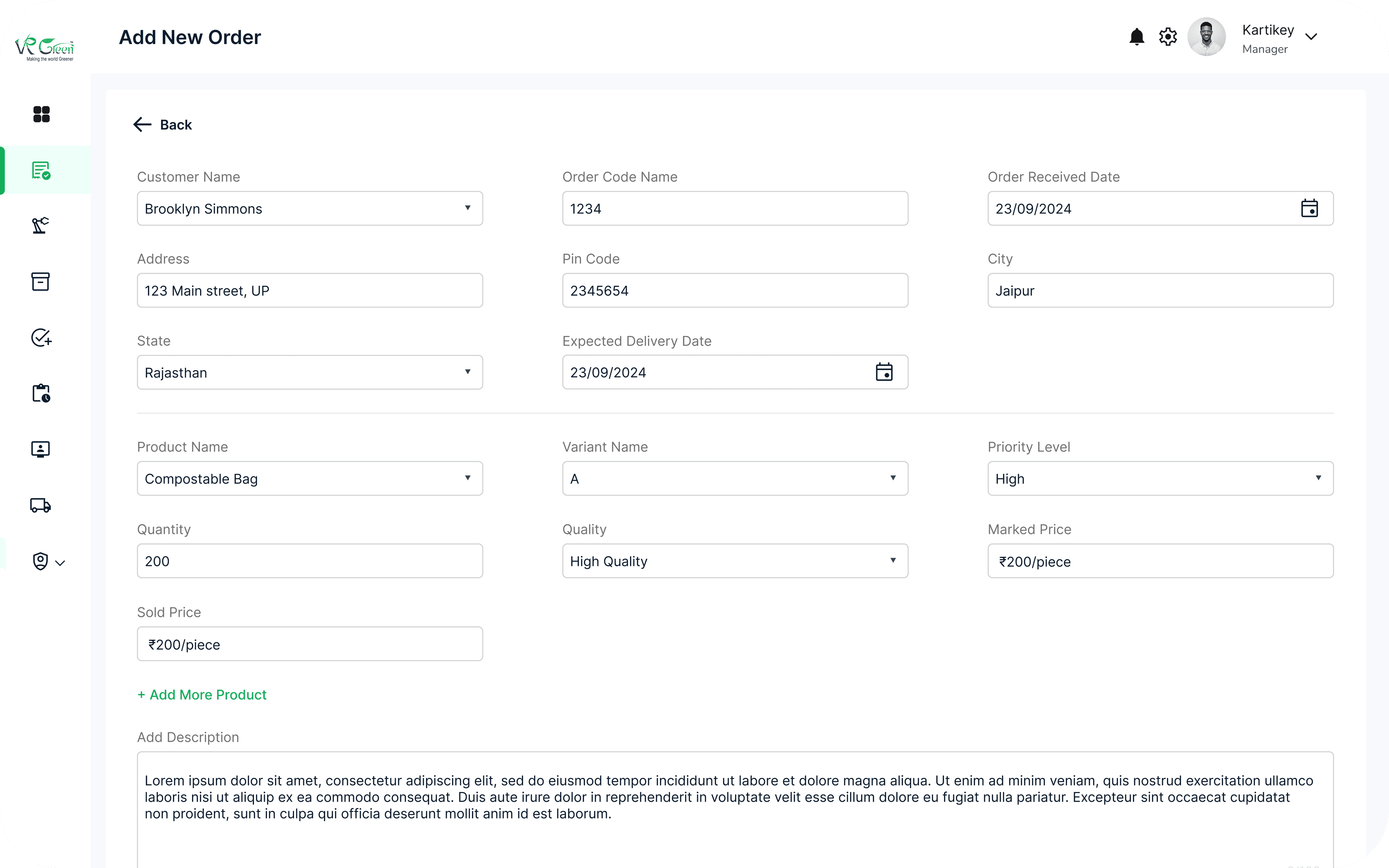
Current Orders list with search, date range, and a + New Order button. Adding an order opens a side panel with customer, address, product, variant, quantity, pricing, priority, and description fields — including +Add More Product for multi-line orders.
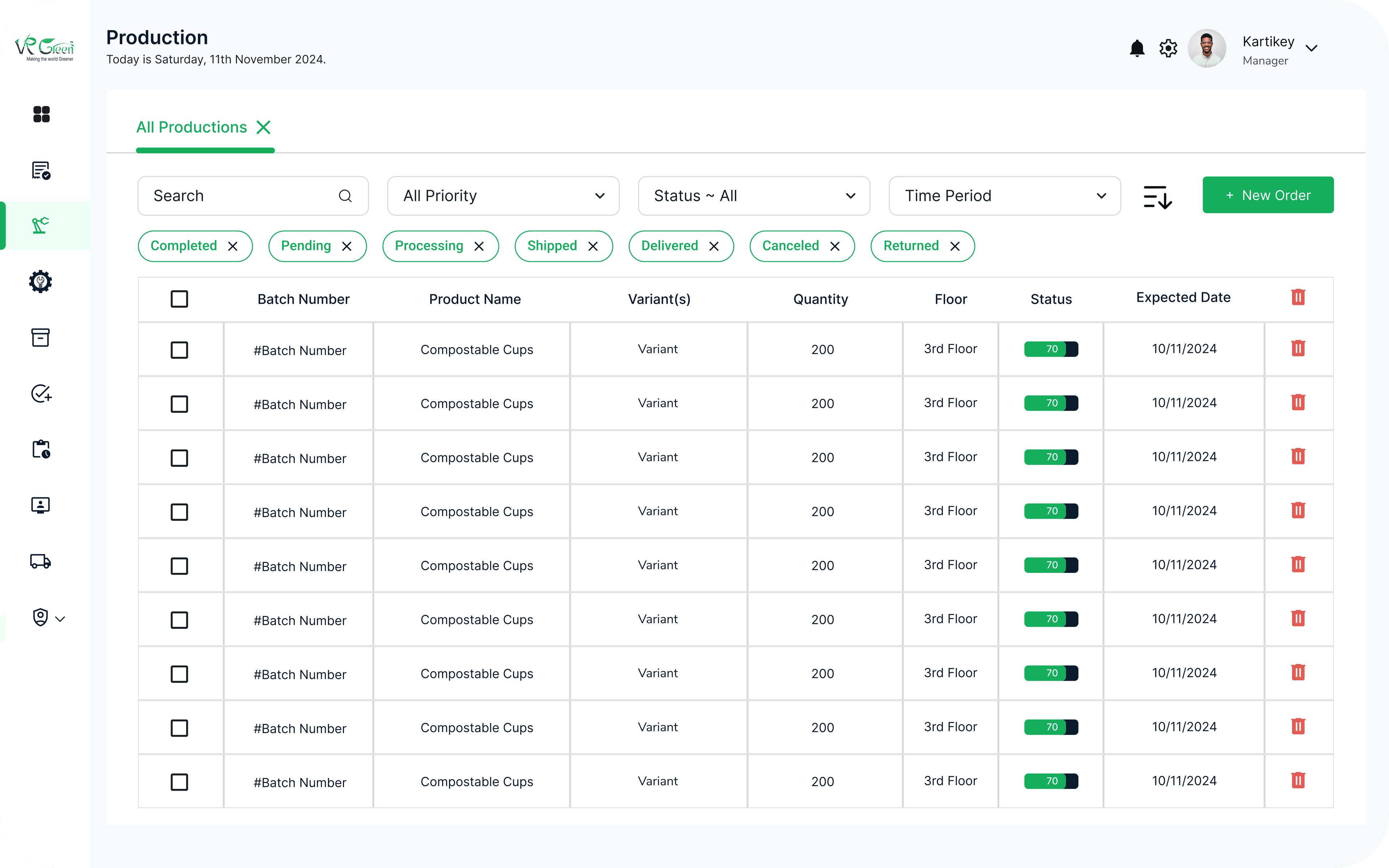
Production Add Flow
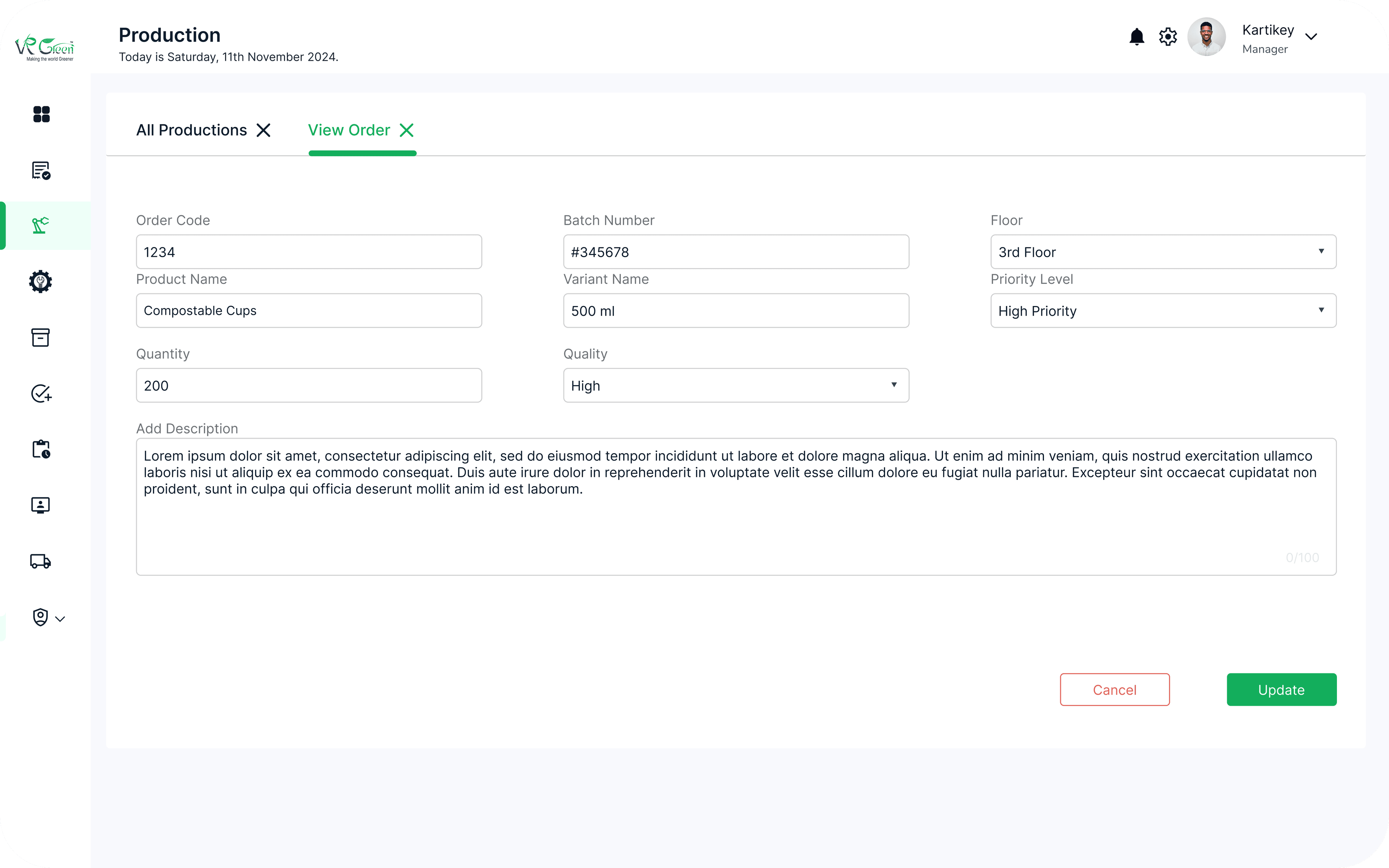
Filterable production table by priority, status, and time period — with status chips for Completed, Pending, Processing, Shipped, Delivered, Cancelled, Returned. Detail view opens an editable batch form with order code, batch number, floor, variant, quality, and priority.
Manufacturing Add Flow
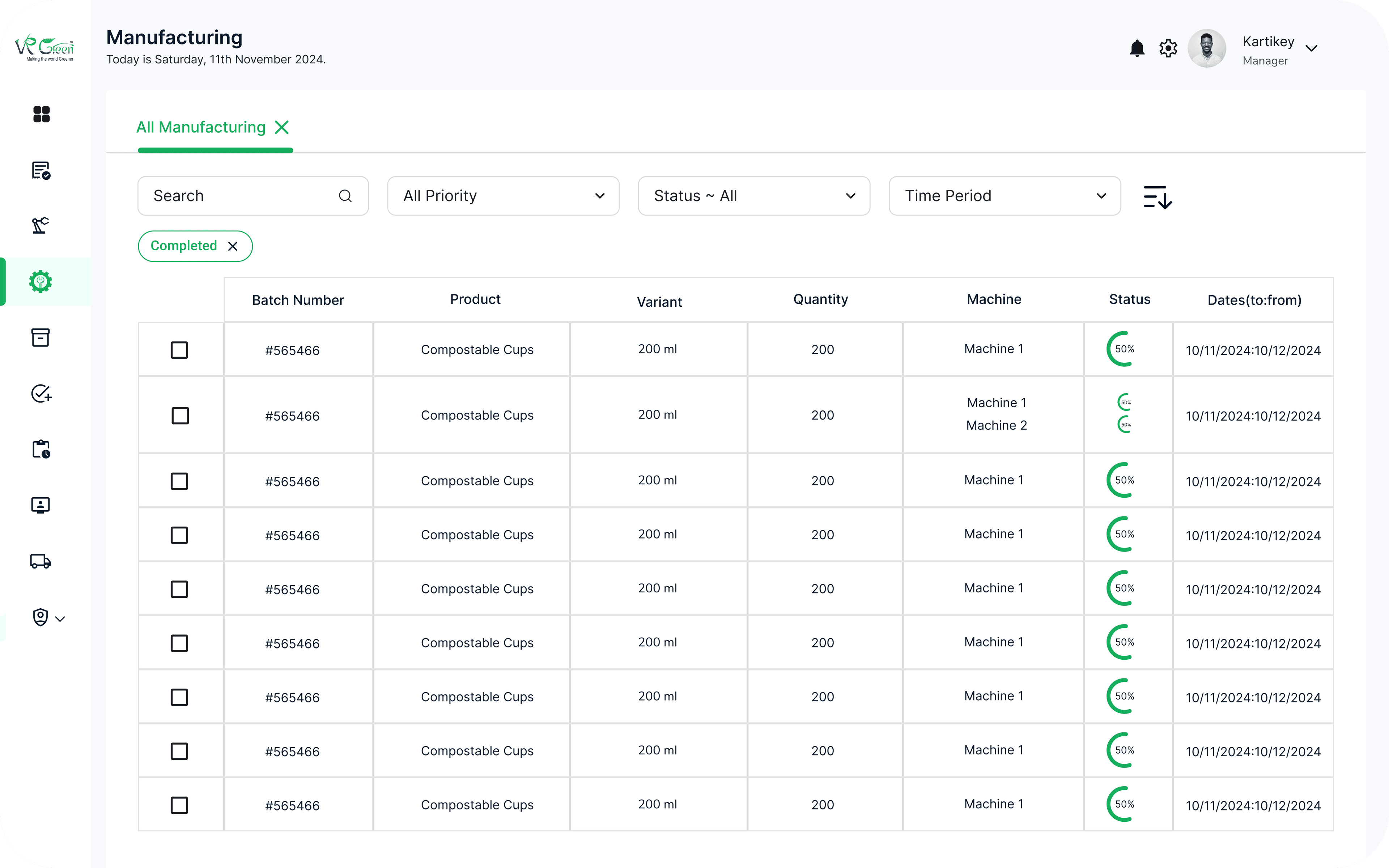
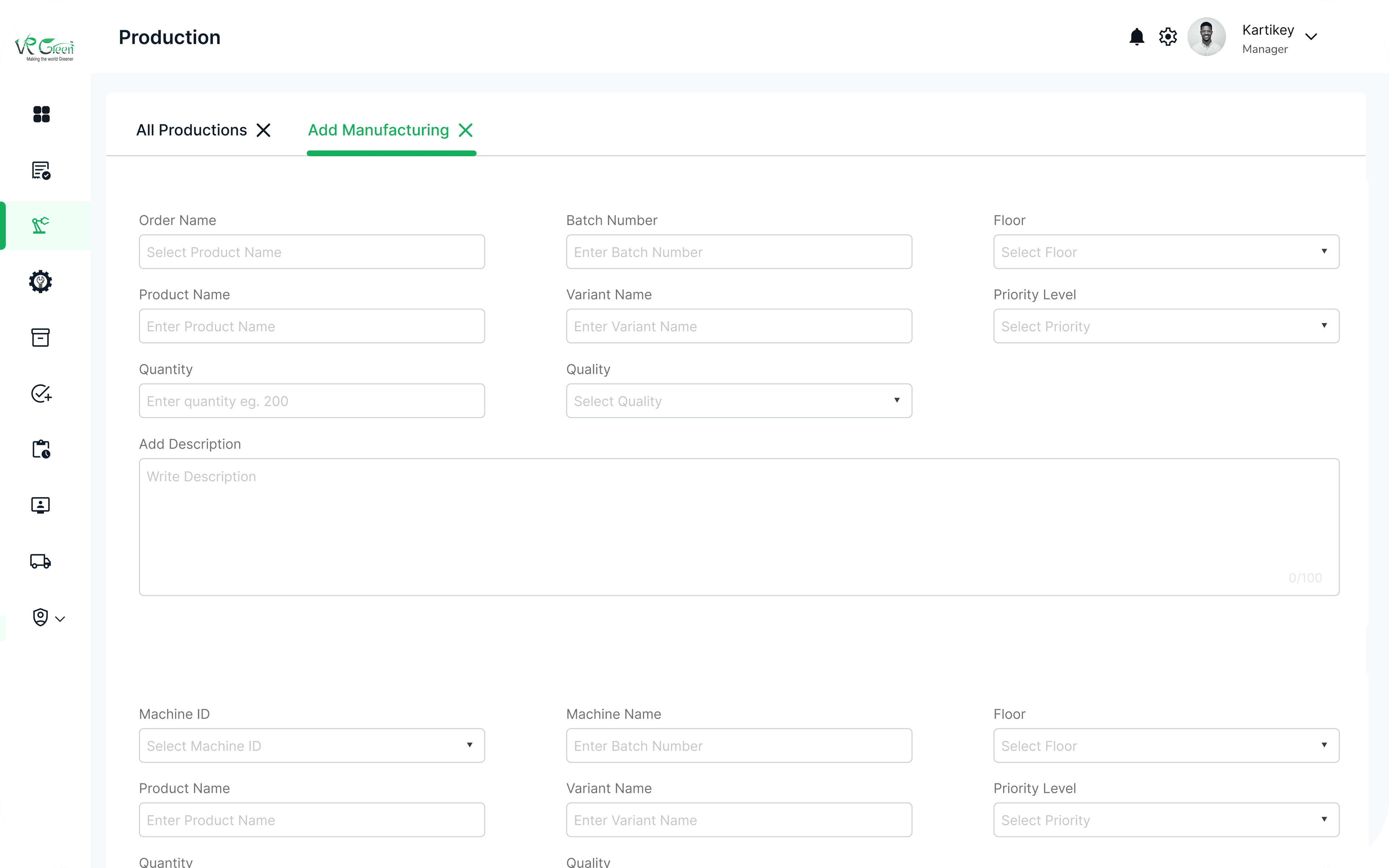
Same table-and-side-panel pattern, with a Machine column and an Add Manufacturing form that includes Assign New Machine — handling operator/helper allocation per machine.
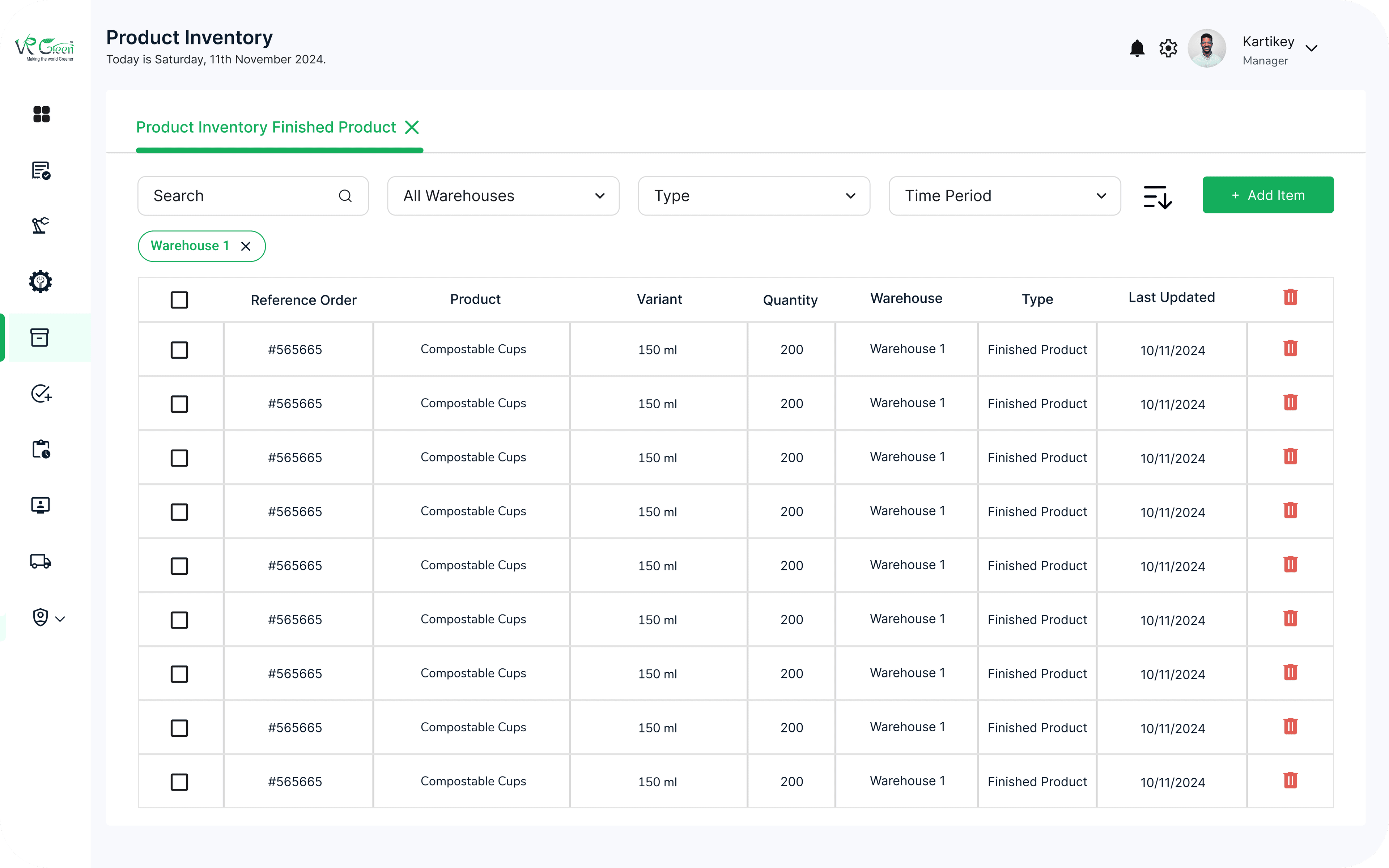
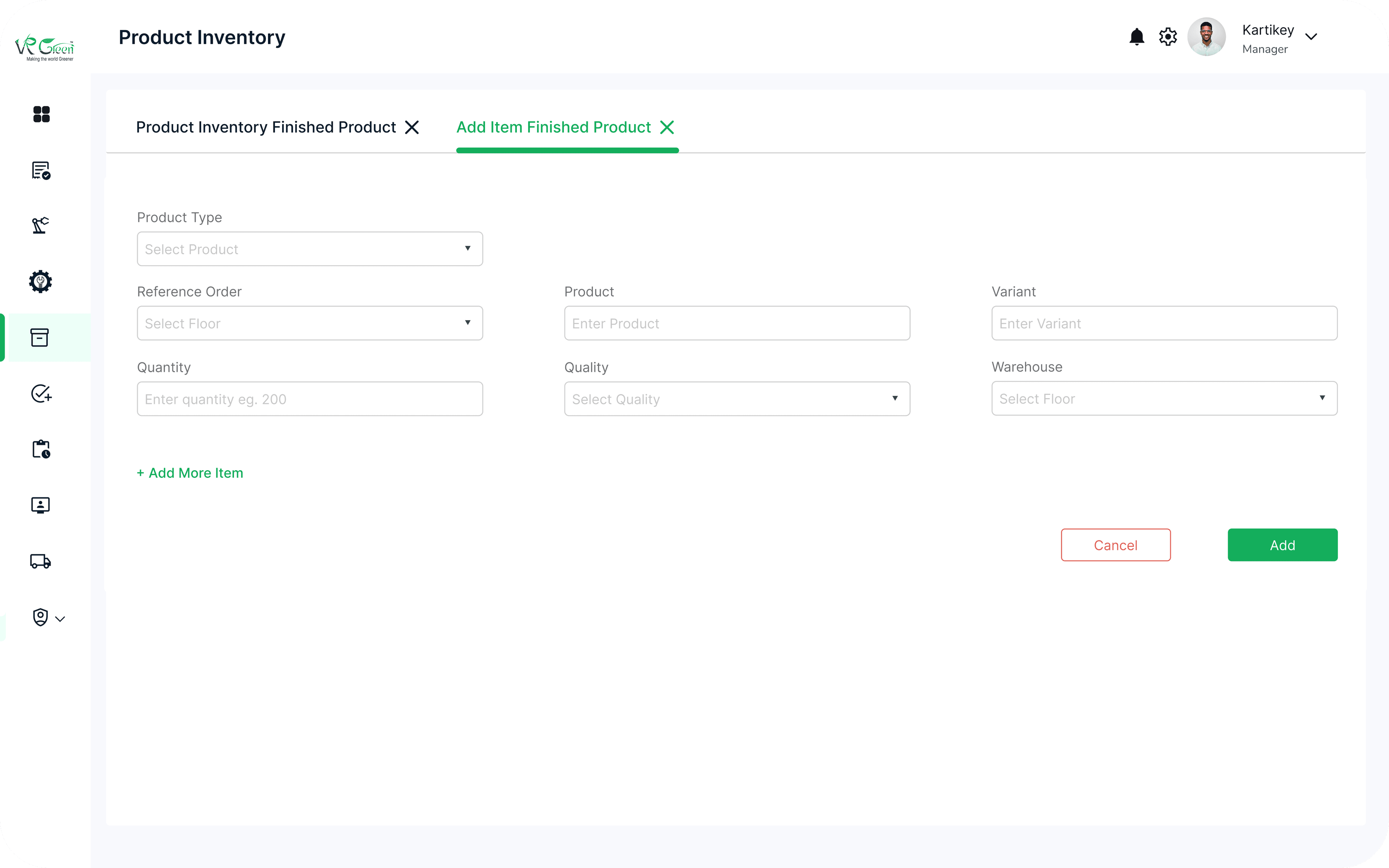
Product Inventory
Warehouse and finished-product views with reference order, variant, quantity, type, and last-updated. Add Item panel with product type, reference order, variant, quantity, quality, warehouse — and +Add More Item for batch entry.
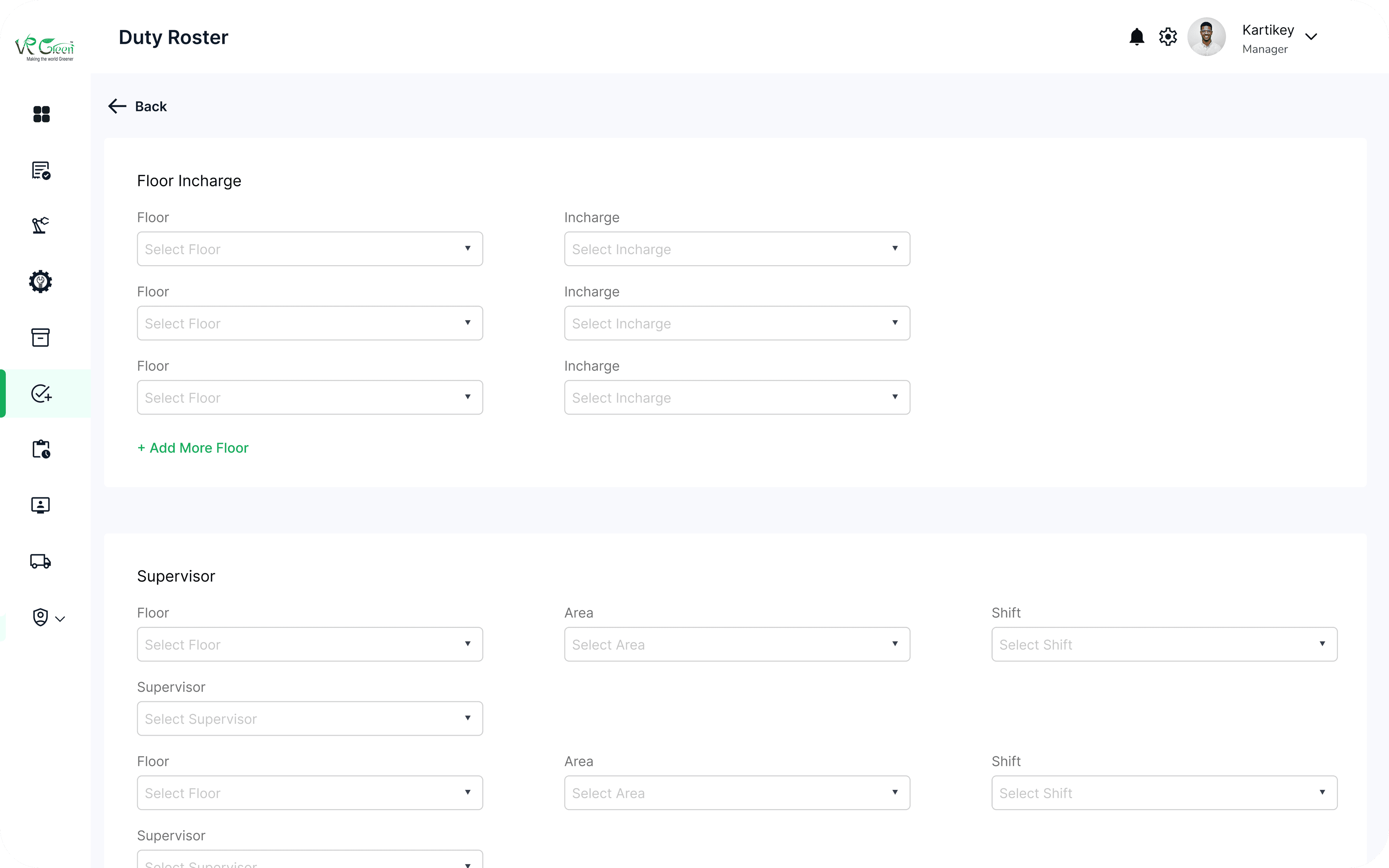
Duty Roster
A multi-block form for the three layers of factory authority — Floor Incharge, Supervisor (with floor/area/shift), and Machine Operator/Helper roles. + Add More Floor and + Add New Machine handle scaling without leaving the page.
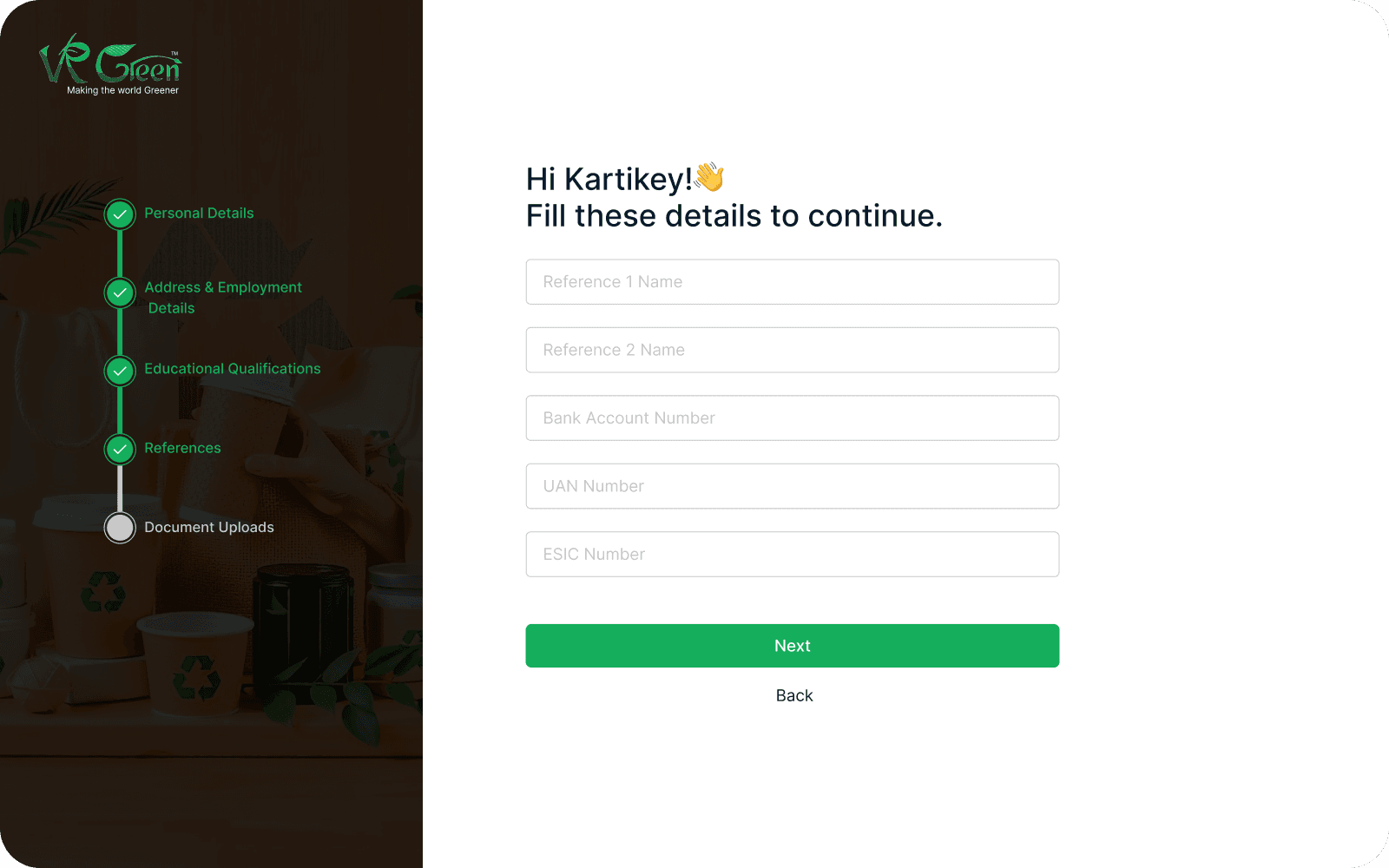
Sign Up Onboarding
A 5-step employee onboarding wizard — Personal Details → Address & Employment → Educational Qualifications → References → Document Uploads — with a vertical progress rail. Includes Indian compliance fields like UAN, ESIC, and Aadhaar uploads, so HR doesn't have to chase paperwork after the fact.
Main Components
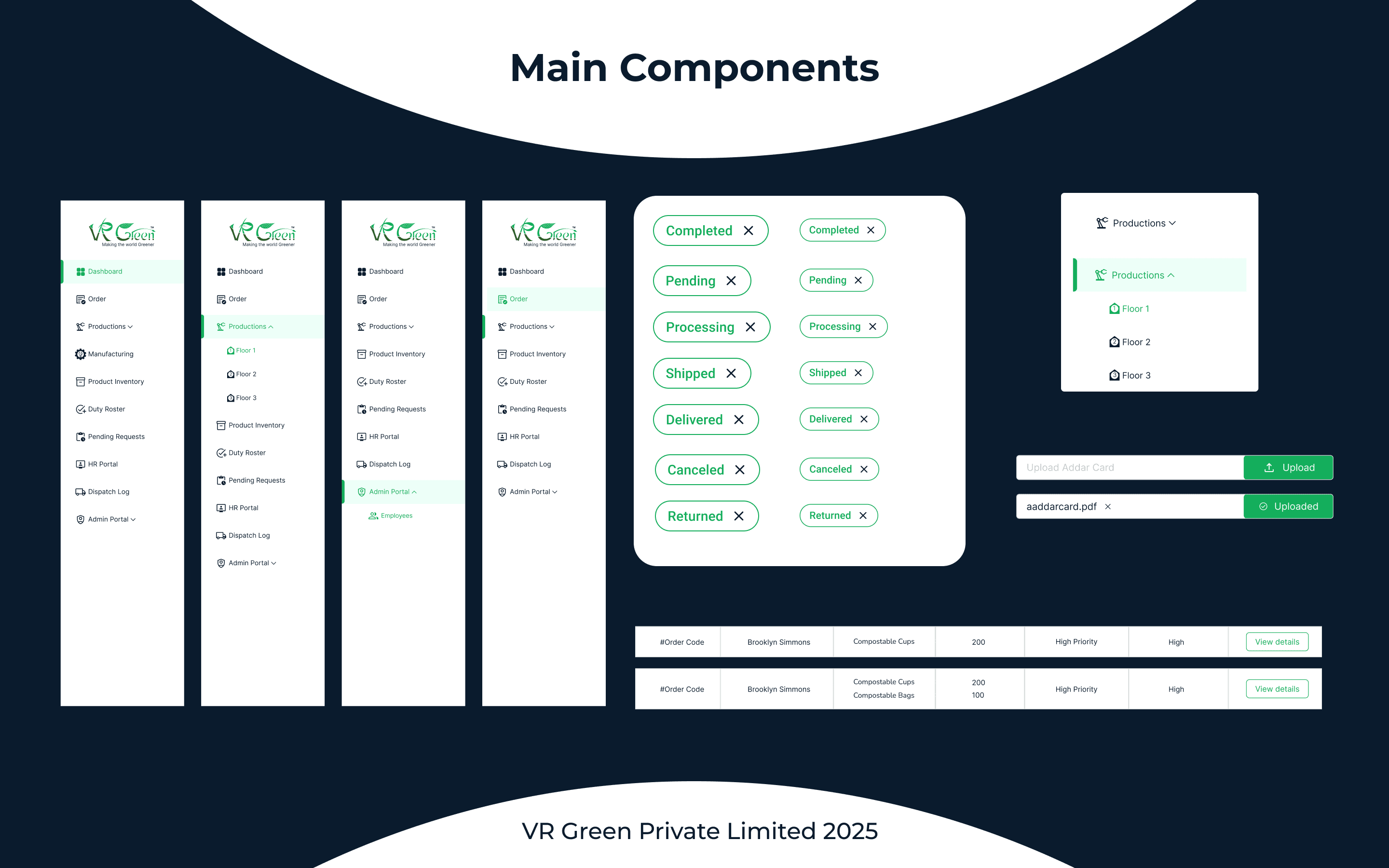
A component system designed for scale — sidebar variants (collapsed, expanded, with sub-items, dark theme), the full status-chip set, file upload state machine, and table row patterns. Built so the next module added doesn't need a single new component.
Design System
Color Palette
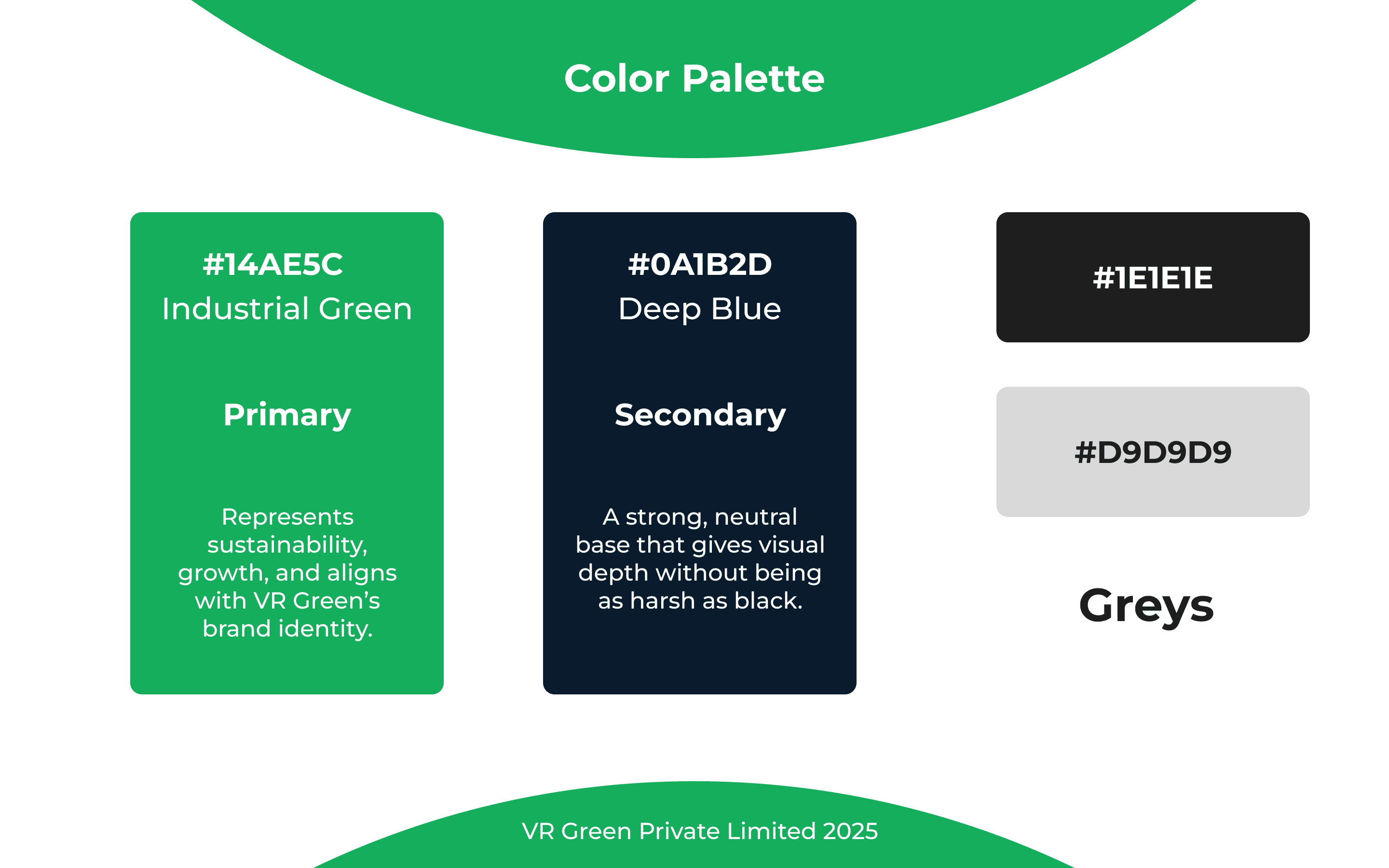
#14AE5C Industrial Green as primary — sustainability and growth, aligned with VR Green's brand identity. #0A1B2D Deep Blue as secondary — neutral depth without the harshness of pure black. Greys (#1E1E1E, #D9D9D9) for surfaces and structure.
Typography
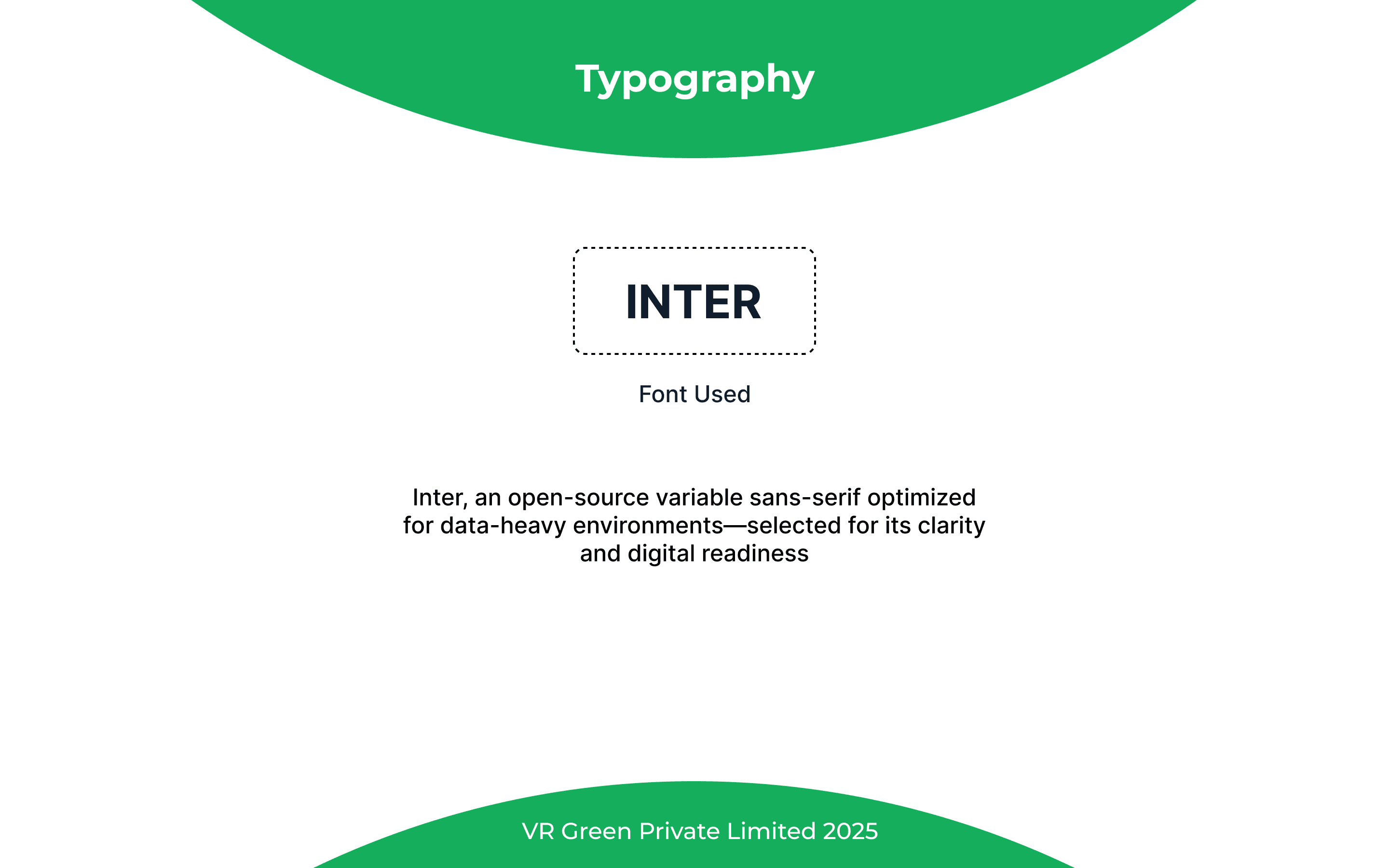
Inter — open-source variable sans-serif, picked specifically for clarity in data-heavy environments. Variations used: Semi Bold, Medium, Regular. Sizes: 9pt, 7pt, 6pt — calibrated for dense tables without sacrificing legibility.
Outcomes
9
Modules Live
5
Roles Served
20+
Screens Shipped
0
Paper Logs
- Workers begin each day with clarity — assignments, targets, and shift status visible at a glance
- Bottlenecks and resource gaps surface in real time instead of in next week's report
- Inventory loss dropped and waste was curtailed — an ecological as much as economic win
- VR Green's sustainability values became visible inside the product itself, not just on the packaging
Green values weren't just a slogan — they became visible in every decision, workflow, and dashboard metric.